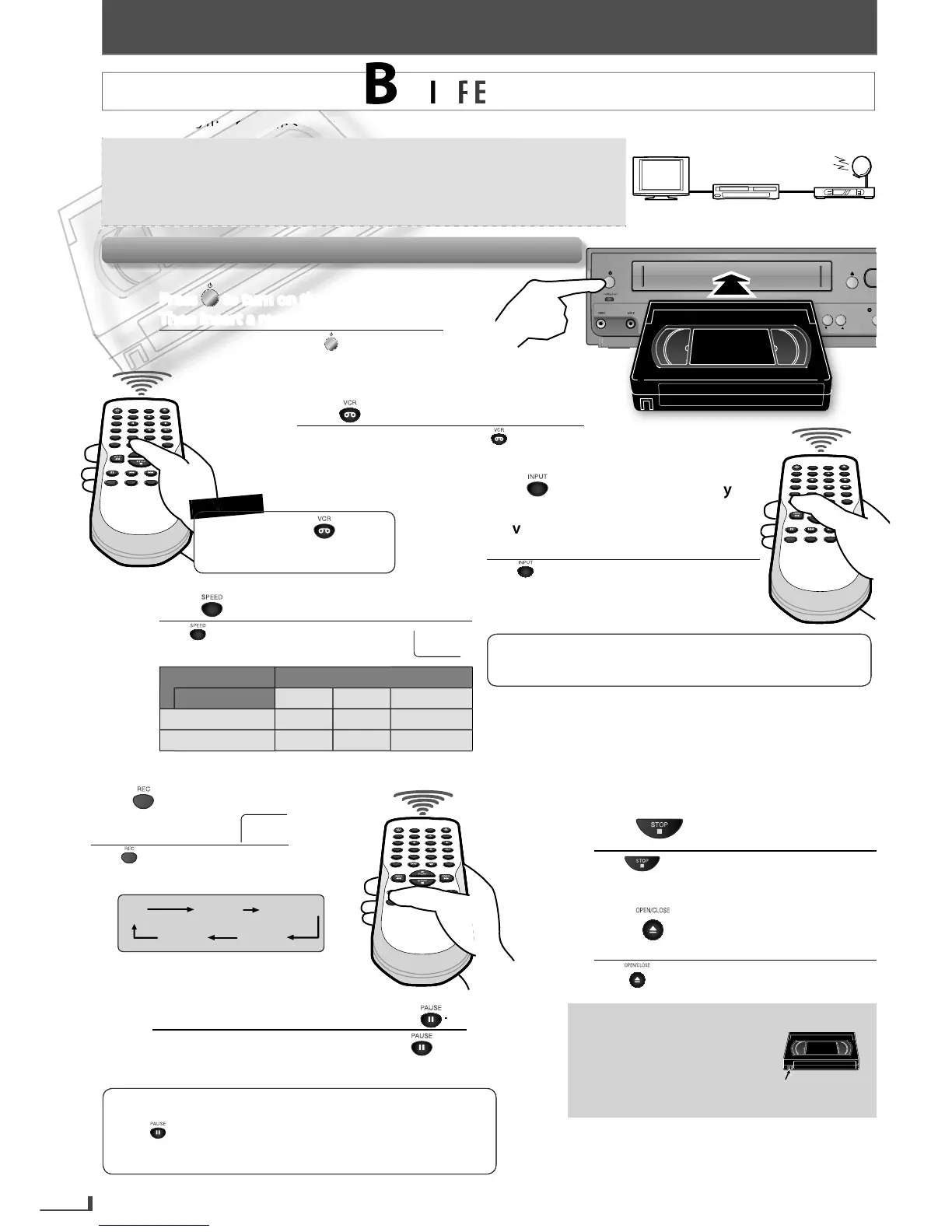
Then insert a recordable tape.
Para encender la unidad, pulse .
Luego inserte una cinta grabable.
until “L1” or “L2” is displayed
until “L1” or “L2” is displayed
on the TV screen. Select “L1” to on the TV screen. Select “L1” to
activate rear input jacks. Select “L2” toactivate rear input jacks. Select “L2” to
activate front input jacks.activate front input jacks.
Pulse hasta que se visualice “L1” o “L2” en la
pantalla de la TV. Seleccione “L1” para activar los
conectores posteriores de entrada. Seleccione “L2”
para activar los conectores frontales de entrada.
to select the desired tape speed.
to select the desired tape speed.
Pulse para seleccionar la velocidad deseada
de la cinta.
Be
How to set the timer recordin
duration recordingduration recording
time is selected.time is selected.
Pulse hasta que se seleccione el
tiempo de duración de grabación
deseado.
VCR
REC
REC
TIMER REC
TRACKING
SO
to switch to the VCR mode.
to switch to the VCR mode.
Para cambiar al modo de VCR, pulse .
To stop recording temporarily, pressTo stop recording temporarily, press
Para detener la grabación temporalmente, pulse .
Pulse para detener la grabación.
cassette tape.cassette tape.
Pulse
para expulsar el casete grabado.
REC OTR (0:30) OTR (1:00).....
(normal recording)
OTR (8:00) OTR (7:30)
the cassette
tape. To recor
again, cover
the hole with adhesive ta
m so it cannot receive TV broadcasts without external tuner or such devices.
ou can also set the external tuner for timer recording. Refer to “Satellite Link
ing)
external tuner
this unit
TV
every time you operate any of
our external tuner to the L1 (rear panel) jacks of the
ress again to resume recor
ing.
• Pause mode will be automaticall
ter 5 minutes to
prevent dama
e to the cassette tape and the video head
E8R6AUHDV220FX5OMv1.indd20 2014/10/0615:42:10



 To Next Page