6
PREPARATION
3
2
1
18
8
19
22
21
5
6
7
20
12
25
11
26
10
23
9
14
24
17
16
31
29
30
15
28
27
13
4
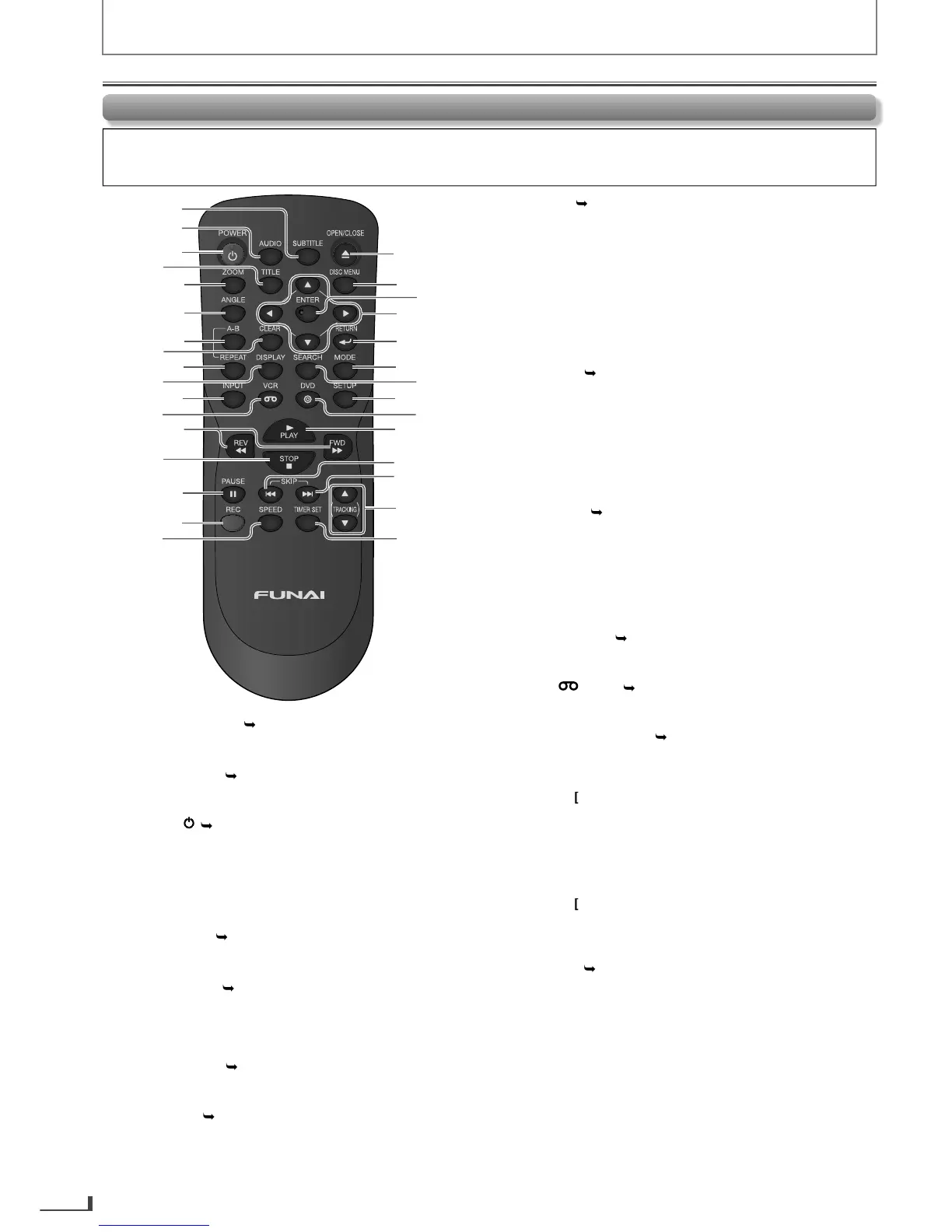
Press to select subtitles on a disc.
Pulse para seleccionar subtítulos en un disco. (DVD)
• Press to select audio lan
Pulse para seleccionar idiomas de audio en un disco. (DVD)
Pulse el boton para encender la unidad, o para pasar la
unidad al modo de espera. (Para apagar completamente la
unidad, debe desconectar el cable de alimentacion de CA.)
Pulse para visualizar el menú principal del disco. (DVD)
a picture. (1.5x, 2x,
2.5x
Pulse para amplificar parte de una imagen. (1.5x, 2x, 2.5x) (DVD,
JPEG)
Pulse para seleccionar ángulos de la cámara en un disco. (DVD)
Press to repeat between your chosen point of A and
B.
Pulse para repetir entre los puntos de A y B que seleccionó. (DVD,
CD)
y.
P
ulse para borrar los números ingresados incorrectamente.
Press to cancel the point
or A-B repeat. (DVD, CD)
Pulse para cancelar el punto para repetición de A-B. (DVD, CD)
VCR mode:
• Pr
Pulse para salir del menú de VCR.
• Press to reset t
Pulse para restaurar el contador del casete.
. (DVD)
Pulse para reproducir un capítulo o título reiteradamente. (DVD)
• Press to pla
Pulse para reproducir repetidamente. (CD, JPEG)
VCR mode:
• Press to select the repeat mode ON / OFF.
Pulse para encender o apagar el modo de repetición.
Pulse para visualizar el modo de disco actual.
VCR mode:
e current time, cassette tape
counter
L1 / L2.
Pulse para visualizar la hora actual, el contador del casete y L1 o L2.
Pulse para seleccionar entrada “L1” o “L2”.
Pulse para activar el modo de VCR.
DVD mode:
• Press to search
Pulse para buscar hacia adelante o hacia atrás en el disco.
Pulse [ D] para iniciar la reproducción lenta hacia adelante en el
modo pausa. (DVD)
VCR mode:
• Press to forward / backward a cassette tape.
Pulse para adelantar o retroceder un casete.
Pulse [ D] para iniciar la reproducción lenta hacia adelante en
el modo pausa.
.
Pulse para detener la reproducción del disco.
VCR mode:
• Press to stop the playback / recording of a cassette tape.
Pulse para detener la reproducción o grabación de un casete.
Rem
nformed that some operations can only be made on the front panel of the unit)
Function Overview
Continued on Next Pa
e.
E8R6AUHDV220FX5OMv1.indd6 2014/10/0615:41:39



 To Next Page