20
Change Settings
English
Sound Settings
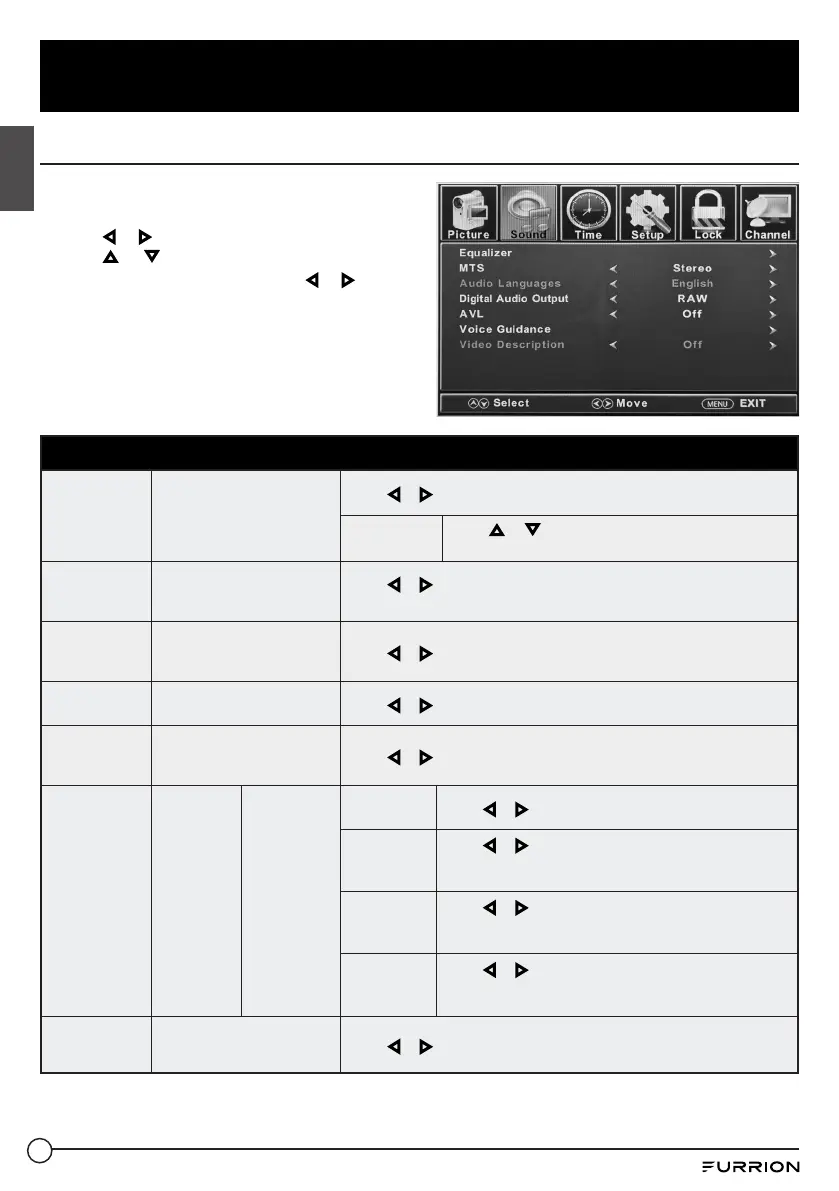
1. Press MENU button, the setup window will
appear on the screen.
2. Use or to highlight Sound mode.
3. Use or to highlight the item you
would like to reset, then press or to
select the settings.
4. Press MENU to return to the previous
menu or press EXIT at any time to exit the
setting.
NOTE: The display menu may vary while
different input source is selected.
Sound Menu
Equalizer
Controls the levels of
various sound frequencies
Press or to select Standard, Music, Movie, Sports or User.
User
Press or to select 200 Hz, 500 Hz, 1.5K Hz,
5K Hz, 10K Hz or Balance.
MTS
Controls the Multi-Channel
TV Sound (Analog
broadcasts only)
Press or to select Stereo, SAP (Secondary Audio when available)
or Mono.
Audio
Languages
If available on digital
broadcast , this selects the
audio language.
Press or to select English, French or Spanish.
Digital Audio
Output
Selects the Digital Audio
Output mode
Press or to select RAW, PCM or Off.
AVL
Automatic Volume Level -
increases or decreases the
TV volume to a fixed level
Press or to select On or Off.
Voice
Guidance
Controls
the Voice
Guide
functions
Voice Guide
Voice
Guidance
Press or to set as On or Off.
Volume
Press or to select Low, Middle or High.
* Only available after Voice Guidance was set as On
mode.
Speed
Press or to select Slow, Normal or Fast.
* Only available after Voice Guidance was set as On
mode.
Pitch
Press or to select Low, Middle or High.
* Only available after Voice Guidance was set as On
mode.
Video
Description
Controls the video
description function
Press or to set as On or Off.



 To Next Page