19
Change Settings
English
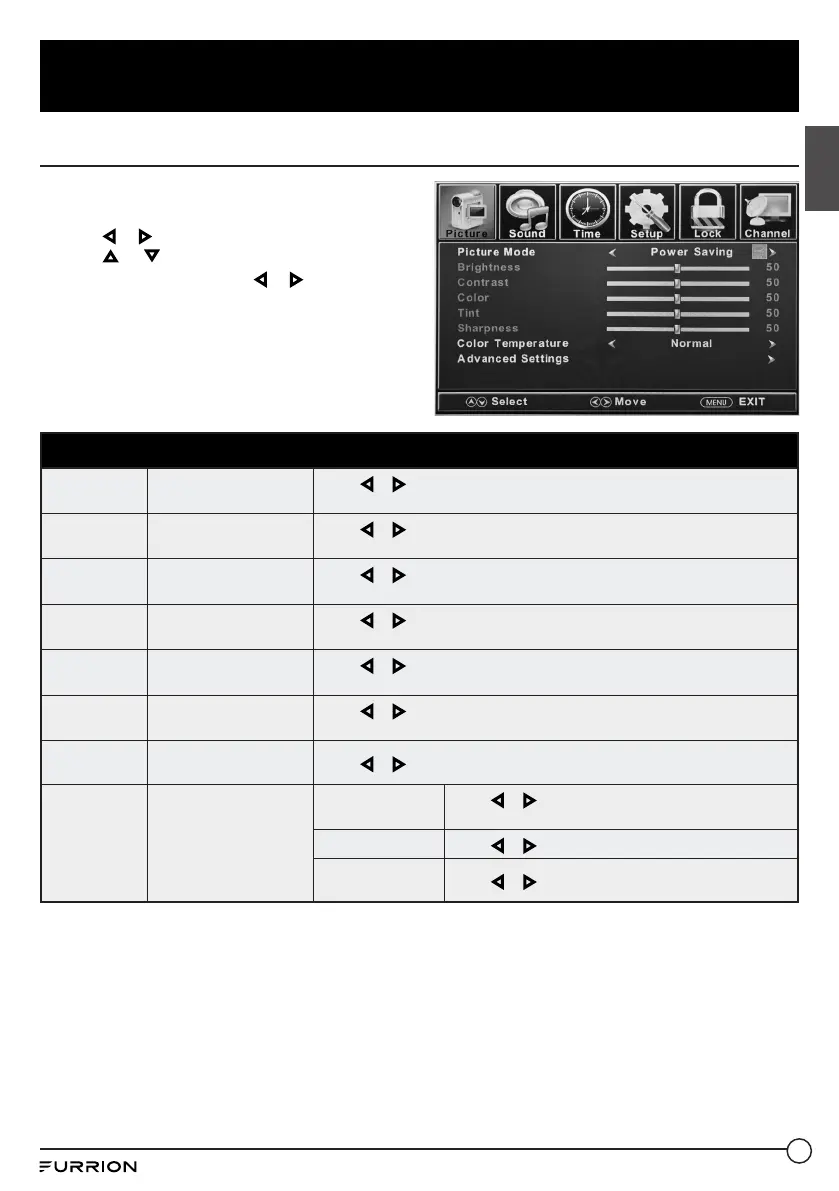
Picture Settings
1. Press MENU button, the setup window will
appear on the screen.
2. Use or to highlight Picture mode.
3. Use or to highlight the item you would
like to reset, then press or to select the
settings.
4. Press MENU to return to the previous menu
or press EXIT at any time to exit the setting.
Picture Menu
Picture Mode
Selects the display
mode
Press or to select Power Saving / Standard / Dynamic, Soft or
User.
Brightness
Controls the brightness
level of the picture
Press or to change the brightness.
* Only adjustable when “Picture Mode” is in “User” mode.
Contrast
Controls the contrast
level of the picture
Press or to change the contrast.
* Only adjustable when “Picture Mode” is in “User” mode.
Color
Controls the color level
of the picture
Press or to change the color.
* Only adjustable when “Picture Mode” is in “User” mode.
Tint
Controls picture tint
Press or to change the tint.
* Only available under NTSC mode.
Sharpness
Controls the sharpness
of the picture
Press or to change the sharpness.
* Only adjustable when “Picture Mode” is in “User” mode.
Color
Temperature
Selects the color mode
Press or to select Normal, Warm or Cool.
Advanced
Settings
Advanced picture
settings
Aspect
Press or to select Wide, Zoom, Cinema or
Normal.
Noise Reduction
Press or to select Middle, High, Off or Low.
Dynamic
Contrast
Press or to select On or Off.



 To Next Page