26
Change Settings
English
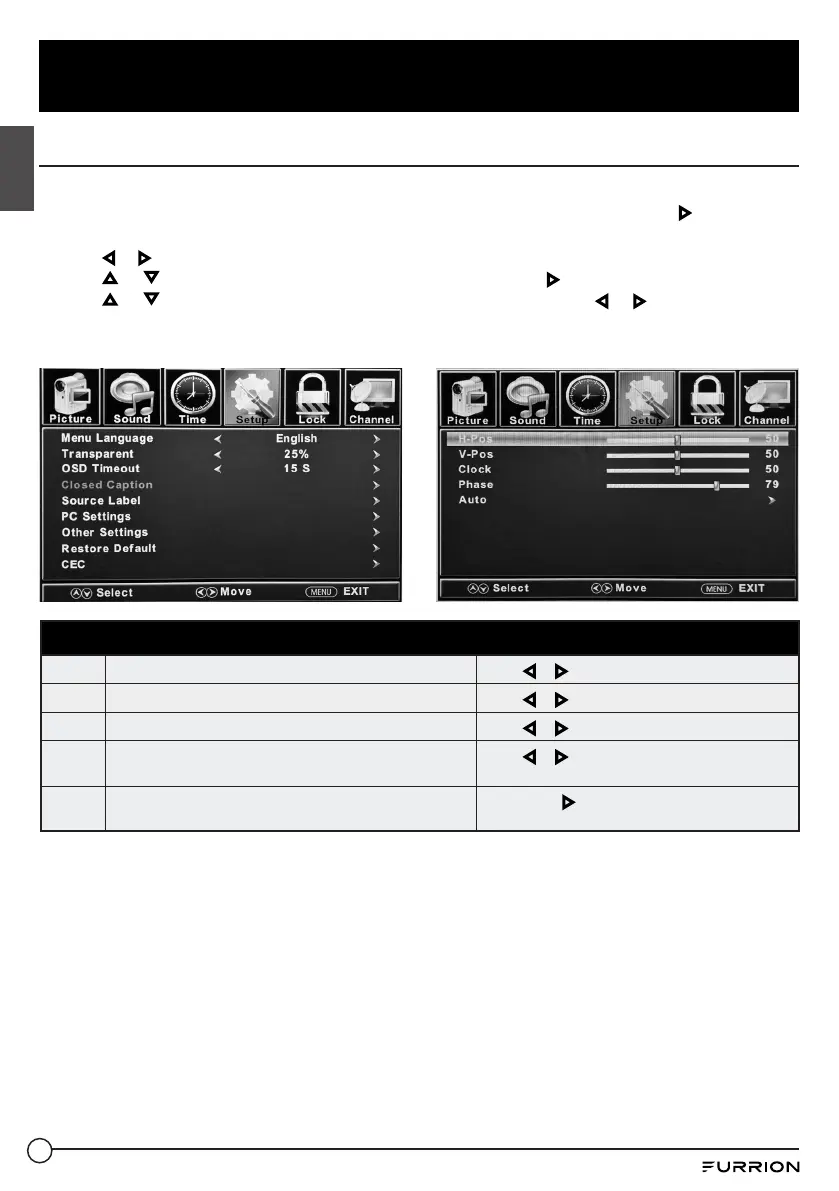
PC Settings
The PC menu is only accessible when a PC is connected to the TV via the VGA connection.
Note: After connecting a PC, press SOURCE button and select PC. Press OK or to enter.
1. Press MENU button, the setup window will appear on the screen.
2. Use or to highlight Setup mode.
3. Use or to highlight PC Settings item , then press OK or to enter PC Menu table.
4. Use or to highlight the item you would like to reset, then press or to select the
settings.
5. Press MENU to return to the previous menu or press EXIT at any time to exit the setting.
PC Menu
H-Pos
Configures the horizontal position of the TV image.
Press or to move the screen horizontally.
V-Pos
Configures the vertical position of the TV image.
Press or to move the screen vertically.
Clock
Adjusts the pixel Clock (vertical) for a clearer image.
Press or to adjust the pixel clock vertically.
Phase
Adjusts the phase Clock (horizontal) for a clearer image.
Press or to adjust the phase clock
horizontally.
Auto
Automatically adjusts the PC settings.
Press OK or to adjust all PC settings
automatically.



 To Next Page