25
Change Settings
English
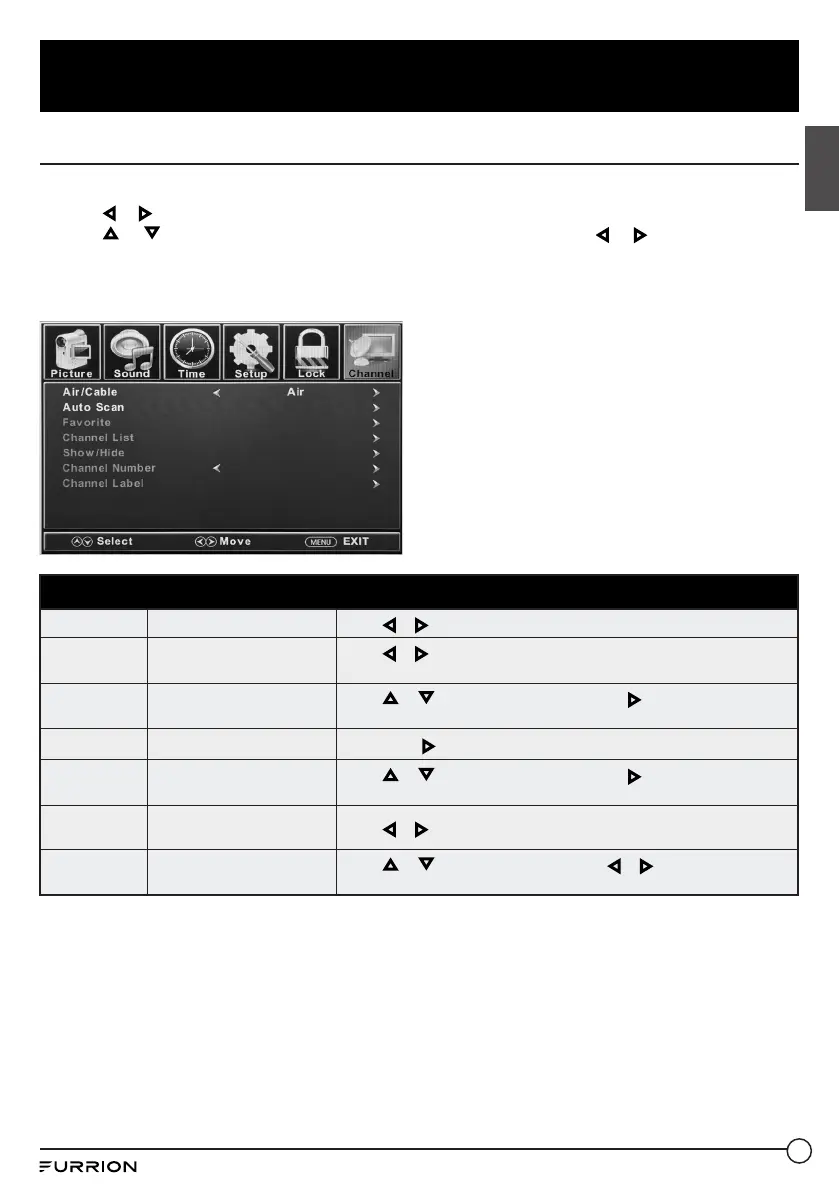
Channel Settings
1. Press MENU button, the setup window will appear on the screen.
2. Use or to highlight Channel mode.
3. Use or to highlight the item you would like to reset, then press or to select the
settings.
4. Press OK to confirm your selections or settings and enter the sub menus.
5. Press MENU to return to the previous menu or press EXIT at any time to exit the setting.
Channel Menu
Air/Cable
Sets the reception type
Press or to select Air or Cable .
Auto Scan
Automatically scans for
available channels
Press or to select Yes to start Automatically scanning channels or
No to cancel.
Favorite
Adds Channels to the
Favorite list
Press or to select a channel, then press or OK to select or
deselect as a favorite.
Channel List
Lists available channels
Press OK or to list available channels.
Show/Hide
Selects the channel to be
shown or hidden
Press or to select a channel, then press or OK to show or hide
the channel.
Channel
Number
Selects the channel number
for labeling
Press or to select a channel.
Channel
Label
Allows to define the name
of channels
Press or to select a character, press or to navigate the
characters. (Maximum of 7 characters)



 To Next Page