2. SHIP INFORMATION INPUT
2-5
2.5 Initial Setup
You can use the FA-40 without changing the settings for [Initial Setup]. If changing the
settings, refer to the followings:
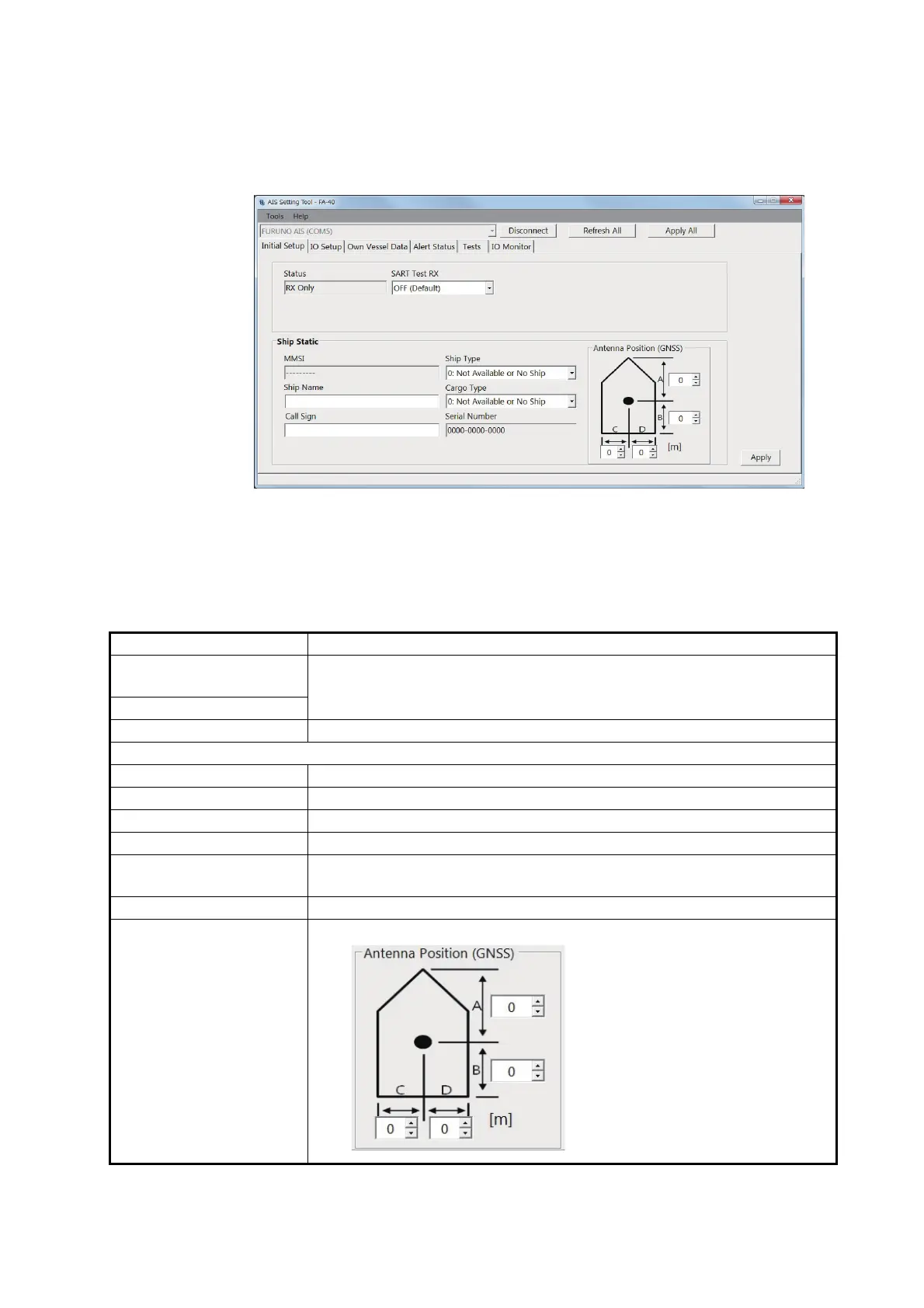
[Initial Setup] menu for PC
Most of the menu items are the same between the PC and external display. For de-
tails, see "MENU TREE" on page AP-1.
For the PC, click [Apply] or [Apply All] to confirm the settings.
Menu item Description
[AIS Status] (for the ex-
ternal display)
Shows the status of AIS.
[Status] (for the PC)
[SART Test RX] Select whether to receive an AIS SART test message.
[Ship Static]
[MMSI] Shows the MMSI number.
[Ship Name] Enter the ship's name, using up to 20 alphanumeric characters.
[Call Sign] Enter the call sign, using seven alphanumeric characters.
[Ship Type] Select the ship type.
[Cargo Type] Select the cargo type. Available options depend on the setting of [Ship
Type].
[Serial Number] Shows the serial number for the equipment.
[Antenna Position] Set the antenna position referring to the following figure.
[Status] ([AIS Status] on the external display), [MMSI], and [Serial Number]:
Display only.
A: Distance from bow to GPS
antenna position
(setting range: 0 to 511 m)
B: Distance from stern to GPS
antenna position
(setting range: 0 to 511 m)
C: Distance from port to GPS
antenna position
(setting range: 0 to 63 m)
D: Distance from starboard to
GPS antenna position
(setting range: 0 to 63 m)


 To Next Page