3. SETTINGS AND STATUS
3-4
*: For the external display, select the alert ID to display the alert message on the bot-
tom of the screen.
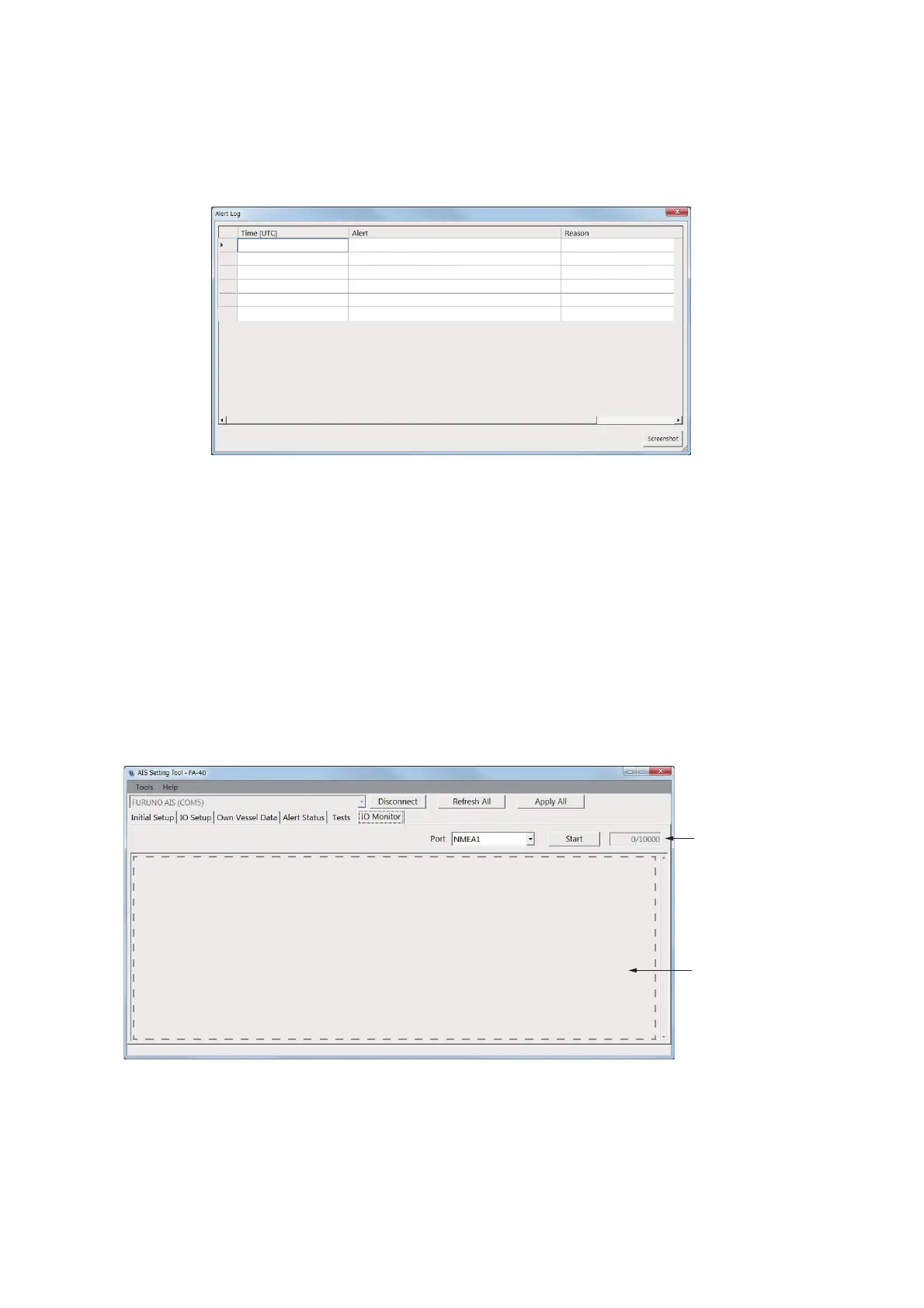
For the PC, click [Open] of [Alert Log] to show the alerts that occurred in the past (max.
20 alerts).
• [Time [UTC]]: Shows the time and date when the alert occurred.
• [Alert]: Shows the alert message.
• [Reason]: Shows the reason why the alert occurred.
Click [Screenshot] to take a screenshot.
For the alert lists, see page AP-3.
3.4 IO Monitor
The data input from each port can be monitored.
Note: This menu appears only on the PC.
• [Port]: Select the port that displays the received data.
• [Start]: Click to start the receiving data display. The display shows a maximum of
10,000 characters. The [Start] button changes to the [Stop] button.
• [Stop]: Click to stop the receiving data display. The [Stop] button changes to the
[Start] button.
RX Channel 1 Malfunction
RX Channel 2 Malfunction
RX Channel 1 Malfunction
RX Channel 2 Malfunction
RX Channel 1 Malfunction
RX Channel 2 Malfunction
01/JAN/2020 10:30
01/JAN/2020 10:32
01/JAN/2020 14:55
01/JAN/2020 14:56
01/JAN/2020 18:10
01/JAN/2020 18:11
Display area of
receiving data
Character
count


 To Next Page