4. MAINTENANCE
4-3
4.4 Diagnostics
The FA-40 provides diagnostic tests to check the receiver unit for proper operation.
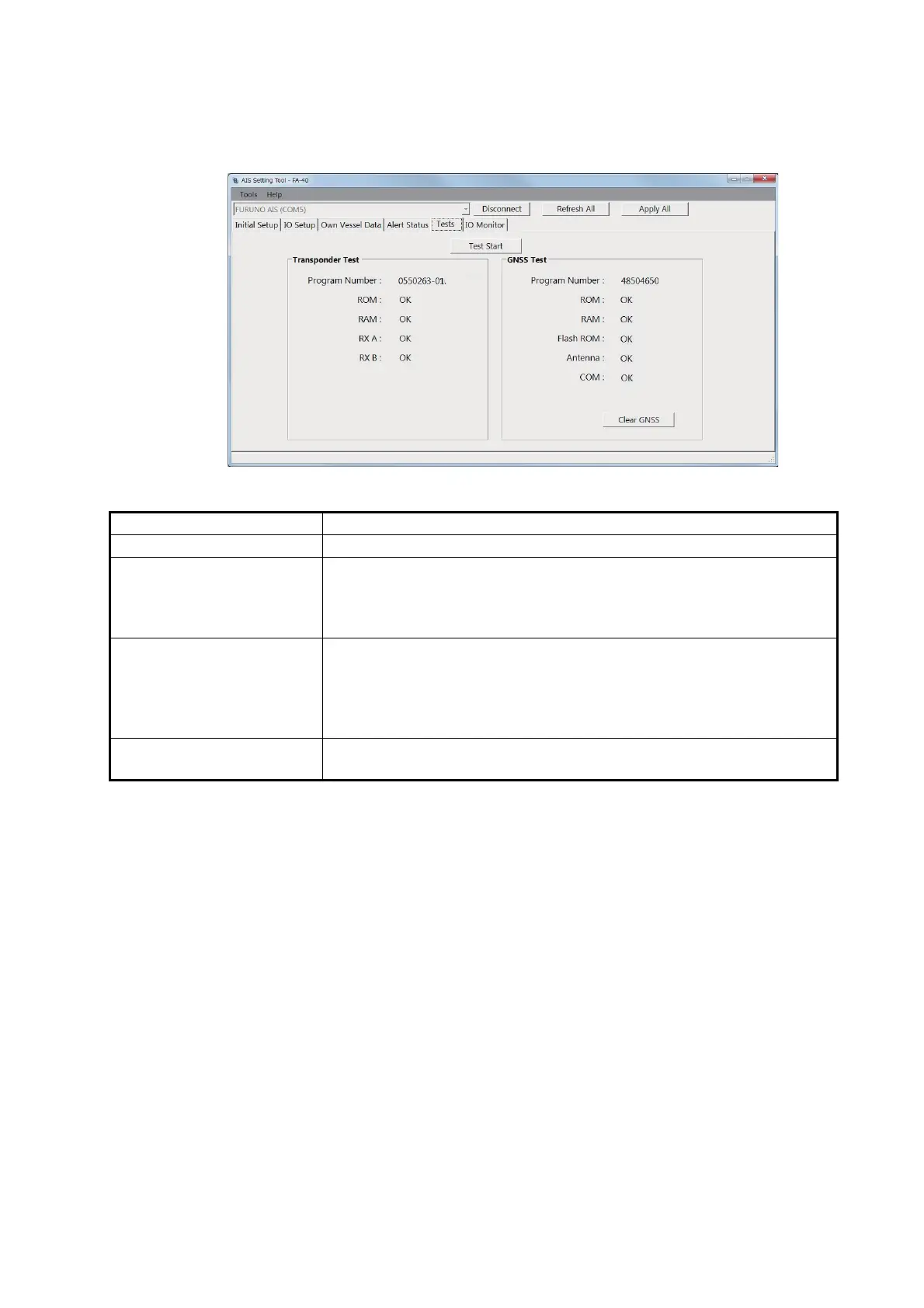
[Tests] screen for PC
Menu item Description
[Test Start] (for the PC) Click to start the test.
[Transponder Test] The program version number appears on the first line. The RAM,
ROM, and two RX channels (A and B) are checked for proper opera-
tion, and the results are displayed as "OK" or "NG" (No Good). For any
NG, contact your dealer for advice.
[GNSS Test] The program version number appears on the first line. The ROM,
RAM, Flash ROM, the connection with antenna (including power line)
and COM (communication) are checked for proper operation, and the
results are displayed as [OK] or [NG] (No Good). For any NG, contact
your dealer for advice.
[Clear GNSS] (for the PC) Click to initialize the internal GNSS core. The confirmation message
"Clear GNSS. Are you sure?" appears. Click [Yes] to initialize.
xx
xx


 To Next Page