4. MAINTENANCE
4-2
4.3 Troubleshooting
The troubleshooting table below provides typical operating problems and the means
to restore normal operation. If you cannot restore normal operation, do not open the
cover of the FA-40; there are no user serviceable parts inside the receiver.
AIS Receiver FA-40
The FA-40 has no power switch. Power is fed from the ship's switchboard, and a pow-
er switch on the switchboard turns the FA-40 on or off.
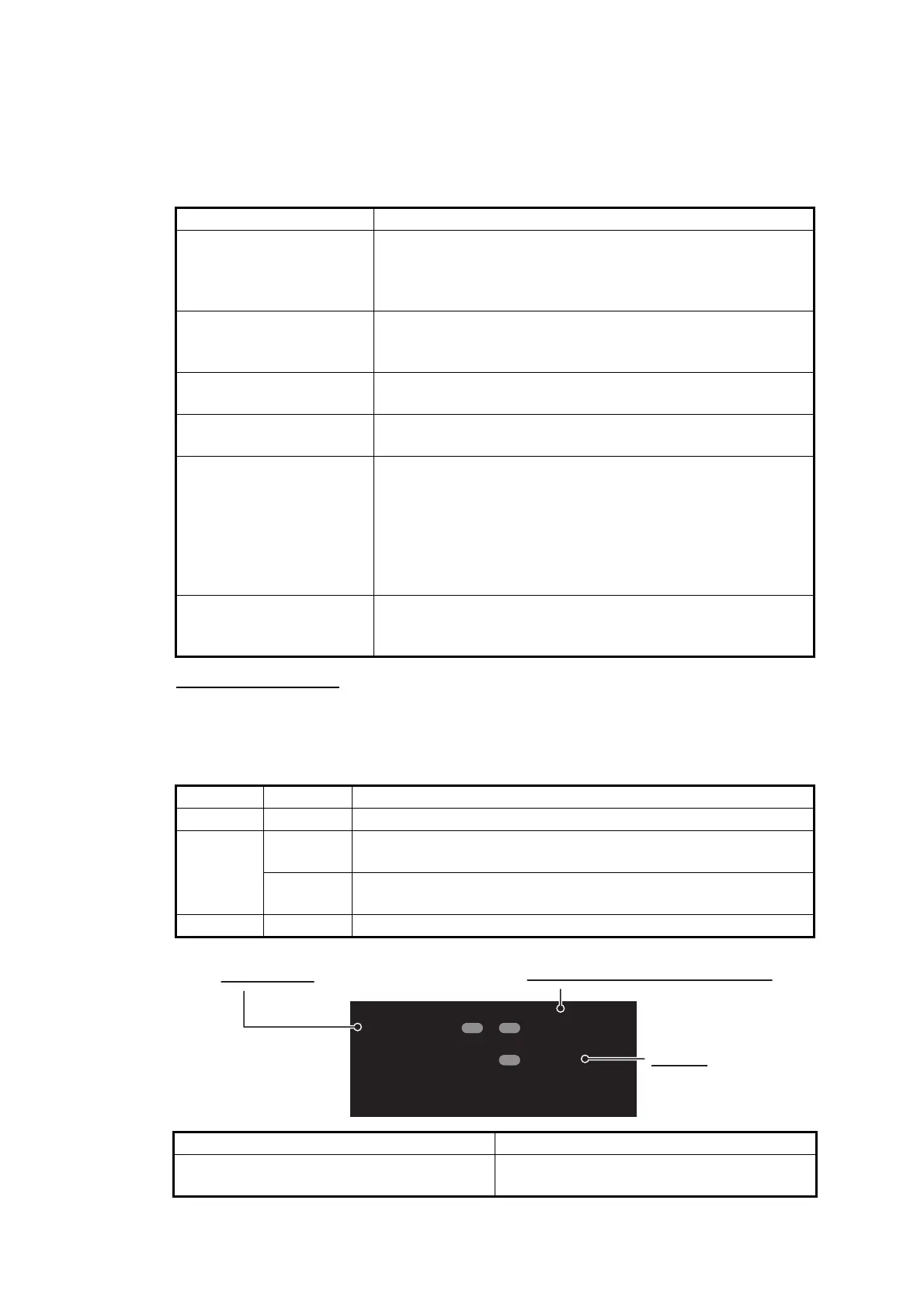
The table below shows the function for each LED.
Symptom Remedy
Cannot turn on the pow-
er.
• Check the cable between the receiver and power for
damage.
• Check the power supply.
• Check the fuse.
Cannot receive. • Check that the VHF antenna cable is firmly connected.
• Check the VHF antenna and its cabling for damage.
• Confirm the channel setting.
ERROR LED lights in
red.
Contact your dealer.
ERROR LED lights in or-
ange.
Check that the optional GPS antenna is correctly connect-
ed.
Cannot start the AIS Set-
ting Tool, or cannot con-
nect the PC to the
receiver.
• Check the USB cable between the receiver and the PC
for damage.
• Do the following:
1) Quit the AIS Setting Tool.
2) Disconnect the USB cable from the PC, and then con-
nect the cable again.
3) Start the AIS Setting Tool.
No position data (when
optional GPS antenna
unit is connected).
• Check the GPS antenna.
• Check the GPS antenna cable and its connectors.
LED Color Meaning
POWER Green When the power is on, the POWER LED lights in green.
ERROR Red The ERROR LED lights in red when equipment error (RX,
ROM, or RAM) is found.
Orange The ERROR LED lights in orange when the equipment is not
installed correctly.
RX Green The RX LED lights in green for 50 msec when receiving.
Red Orange
• Memory error
• RX1/2 PLL unlock error
GPS antenna short
POWER
--
ERROR
-
RX
POWER LED
ERROR LED (See the table below.)
RX LED


 To Next Page