4. Operating System and Equipment
AUTO: Automatic Wiping*
– If the wiper combination switch is pushed to ③
AUTO position to turn on the automatic wiper
function, and the wiper system will adjust the
wiping speed based on the current rainfall and
real-time vehicle speed.
– Activate or deactivate the auto wiping function
via "Vehicle Setting → Smart Body → Auto
Wiping" in the audio system. When the
function is deactivated, the wipers works in
the same way at "AUTO" position and "INT"
position.
Caution
• When the instrument cluster display prompts
"The sensor fails, please control the wipers
manually", for the sake of safety, the wipers
will keep operating at a slow speed. In this
case, you can choose to control the wipers
manually based on actual situation, and go to
the authorized GAC Motor's dealer timely
to have your vehicle checked and
repaired.
• Before auto wiping in winter, make sure
whether the wiper blades are frozen.
Caution
• It is suggested to disable the auto wiping
function during vehicle
washing and in dust
weather or rainless weather to prevent
damage or injury due to inadvertent wiping.
•
Auto wiping is an auxiliary function. The driver
should operate the wipers manually
depending on the driving condition to ensure
safe driving.
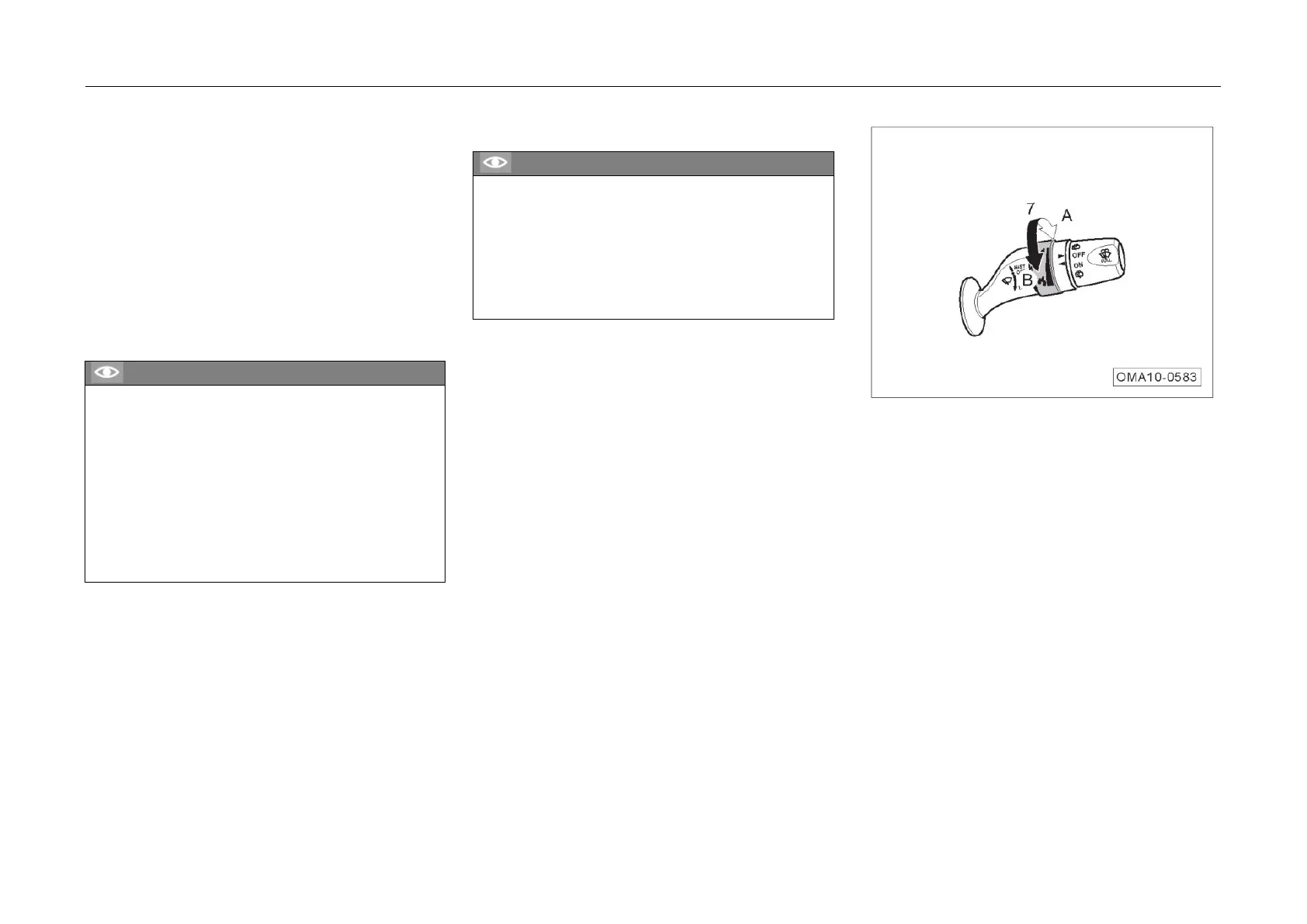
– Rotate t
he knob ⑦ up/down to adjust the
wiper sensitivity.
• A: Increase the wiper sensitivity.
• B: Reduce the wiper sensitivity.
94



 To Next Page