Installation
20
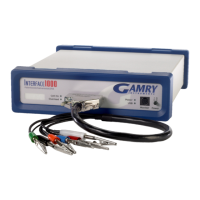
If you place your Interface 5000 within an enclosed space, make sure that the internal temperature within that
space does not exceed 45C, the maximum ambient temperature for the Interface 5000. Be particularly careful
if a computer or other heat-dissipating equipment is mounted in the same enclosure as the Interface 5000.
The Interface 5000 is not designed for outdoor use.
Computer Requirements
Before you connect an Interface 5000 to a computer, you must make sure that your computer meets these
requirements:
• A computer based on one of the x86 or x64 families ofIntel microprocessors, or a 100%-
compatible processor from another vendor,
• Microsoft
®
Windows 7 or higher is required. Both 32-bit and 64-bit versions of these operating
systems are supported. See the Gamry website “www.gamry.com” if you have a newer edition of
Windows
®
.
• A USB port that supports Full Speed (12 Mbits/second) or High Speed (480 Mbits/second) USB
transfers. It must be compatible with Revision 1.1 or Revision 2.0 of the USB specification.
Quick Start Guide for System Installation
Your shipment should have included a document entitled Quick-Start Installation Guide - USB Potentiostat.
It contains the latest instructions for installing Gamry hardware and software onto a computer system. If this
document is missing, you can find it on www.gamry.com. The Quick-start Guide found at www.gamry.com
contains the latest information concerning system installation, so the information provided below is always
subject to change.
Software Installation
The Interface 5000 is compatible with the Windows
®
Plug & Play configuration system. Like most Plug & Play
hardware, it is best if you install the software for the Interface 5000 before you install the potentiostat
hardware.
Gamry’s software can be installed from a physical medium such as a DVD or a pre-programmed software flash
drive, or it can installed via an Internet download. The most up-to-date download can be found on
www.gamry.com.
If you install from a physical medium, Gamry Software Setup program will normally start automatically when
you place the Gamry Instrument’s installation medium into your computer.
An Internet download of Gamry’s software will download a self-extracting .EXE file. Running this file will extract
the software and begin the same installation process as you get with a physical medium.
If you have inserted the Gamry DVD or flash drive into your computer and the Gamry Setup program does not
start automatically:


 To Next Page