Panel Indicators and Connectors
48
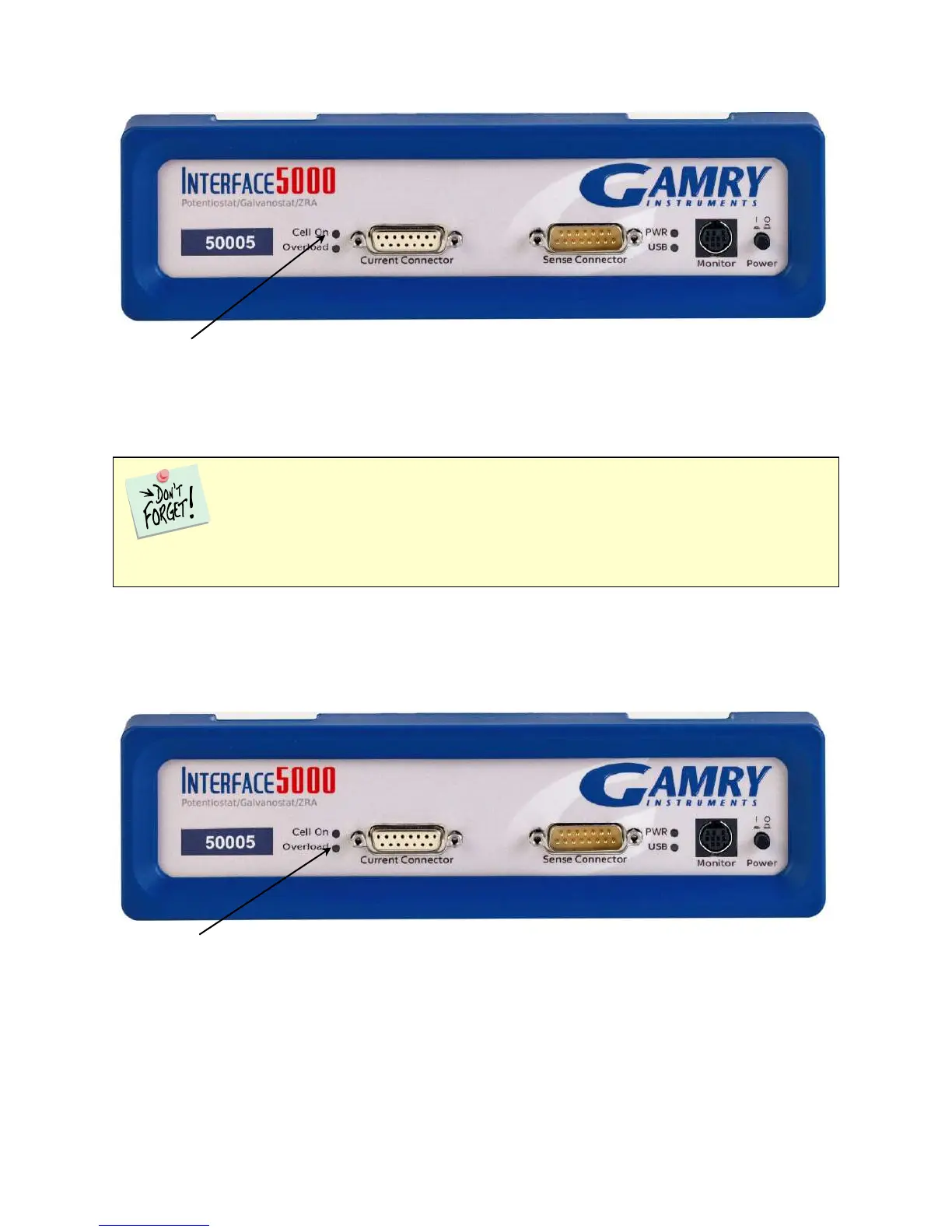
Cell On LED
The Cell On LED is to the left of the Front Panel Cell connector.
The Cell On LED glows yellow whenever the Interface 5000 is actively applying voltage or current to the
electrochemical cell attached to the Cell Cable. Avoid touching the cell cable leads whenever the Cell On LED
is lit, because the quality of the data being collected in your experiment may be compromised.
If you need to make changes to your cell leads, do so between experiments, when the Cell On LED is off and
the potentiostat is inactive.
In a typical experimental sequence, the Cell On LED is off between experiments and during any open-circuit
potential measurements. It glows yellow whenever the cell is polarized.
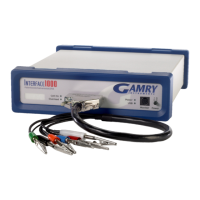
Overload LED
The Overload LED is just below the Cell On LED.
The Overload LED is normally unlit. When it glows red, some circuit in the Interface 5000 has exceeded its
normal operating limit. Conditions that generate Overloads include:
• The absolute value of the differential electrometer output voltage (the difference in voltage between
the Working and Reference leads) exceeds ±6.125 V. This condition is known as an E Overload.
The Cell On LED does not indicate a dangerous condition when it is lighted. The voltages
generated by the Interface 5000 are generally considered safe. Still, avoid touching the cell leads when the
cell is on.


 To Next Page