20
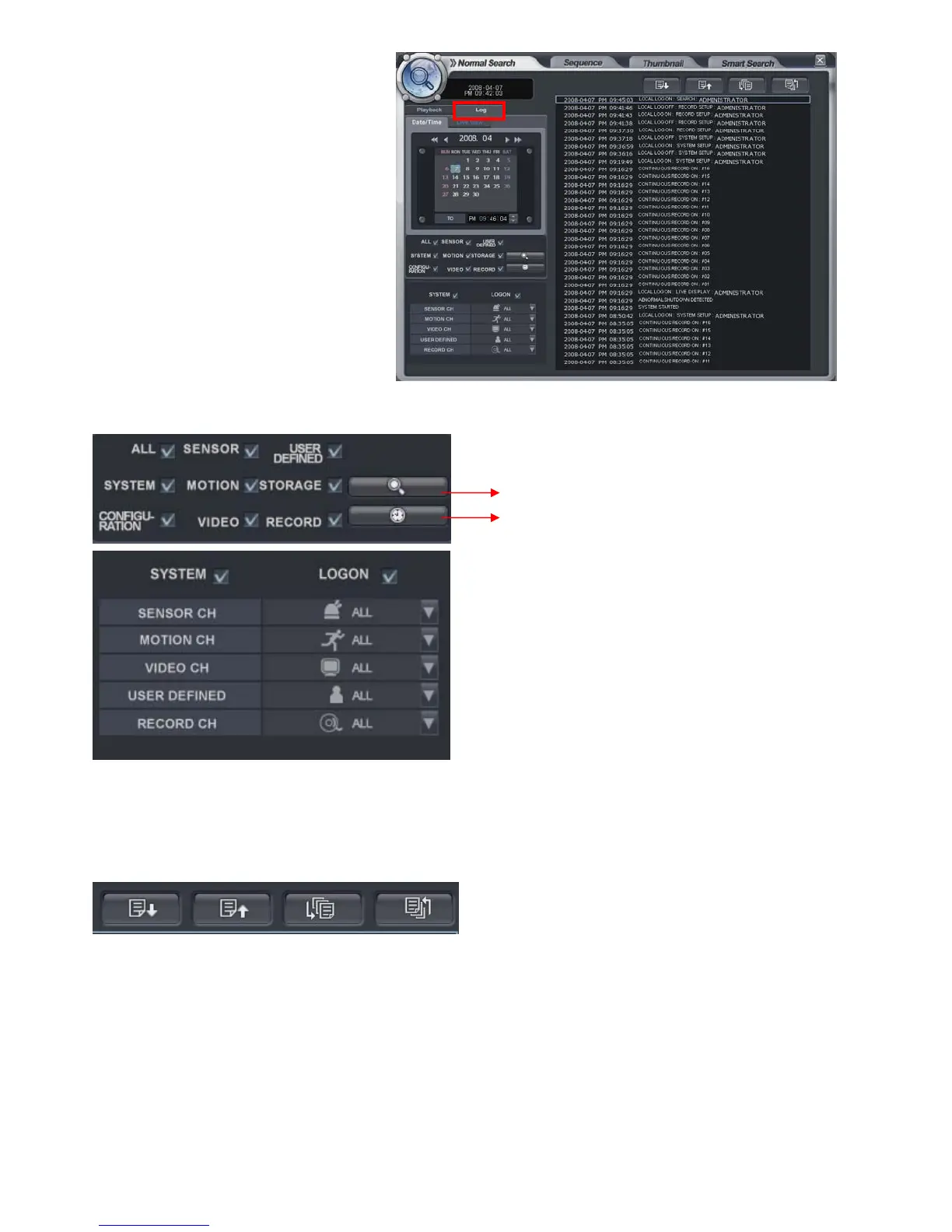
• Playback-> Log
Click the “log”.
Then it shows left screen.
Select the date to see
the log from calendar.
Select the event section to see the
what the operator desires.
Select the log.
For playing the recording data with log, double click the log.
Click same button again to return to the original screen.
Page Down, Page Up, Oldest log and Latest log in order.
Click to start the “search”.
Click the button to view with timeline.
The option to search each channel can be selected.



 To Next Page