43
- H/W version: DVR’s H/W version
- S/W version: DVR’s FW version
- Mac address; DVR’s Mac address
Controller connecting
- Setup to control by the keyboard
controller.
- Select the System ID, Protocol and
Baud rate.
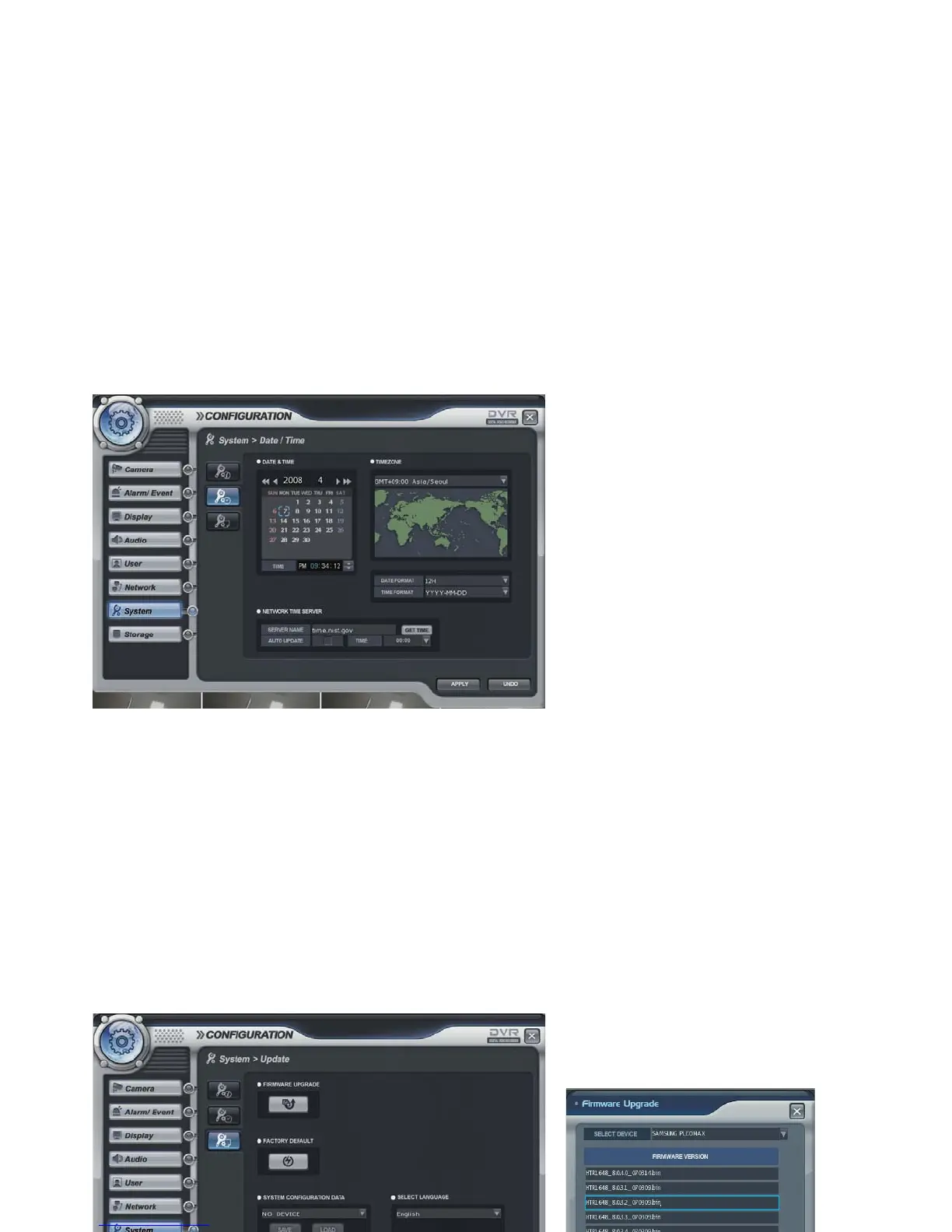
System -> Date/Time
- Date&Time: Current DVR’s Date and Time. The operator can edit manually.
- Timezone: Select the Timezone.
- Date and Time format: The operator can change the Date and Time format.
- Network Time server: Input the network time server’s domain name for getting the time automatically.
- Auto update and Time: DVR can get the time information automatically with assigned time duration after
connecting with network.
- The default setup of D.S.T is on.
System -> Update



 To Next Page