61
③ Input DVR information. (Name, IP, port, ID, PW)
④ Set camera position, tick on/off option and press ‘ADD’ button.
⑤ New DVR list is shown on the left upper side.
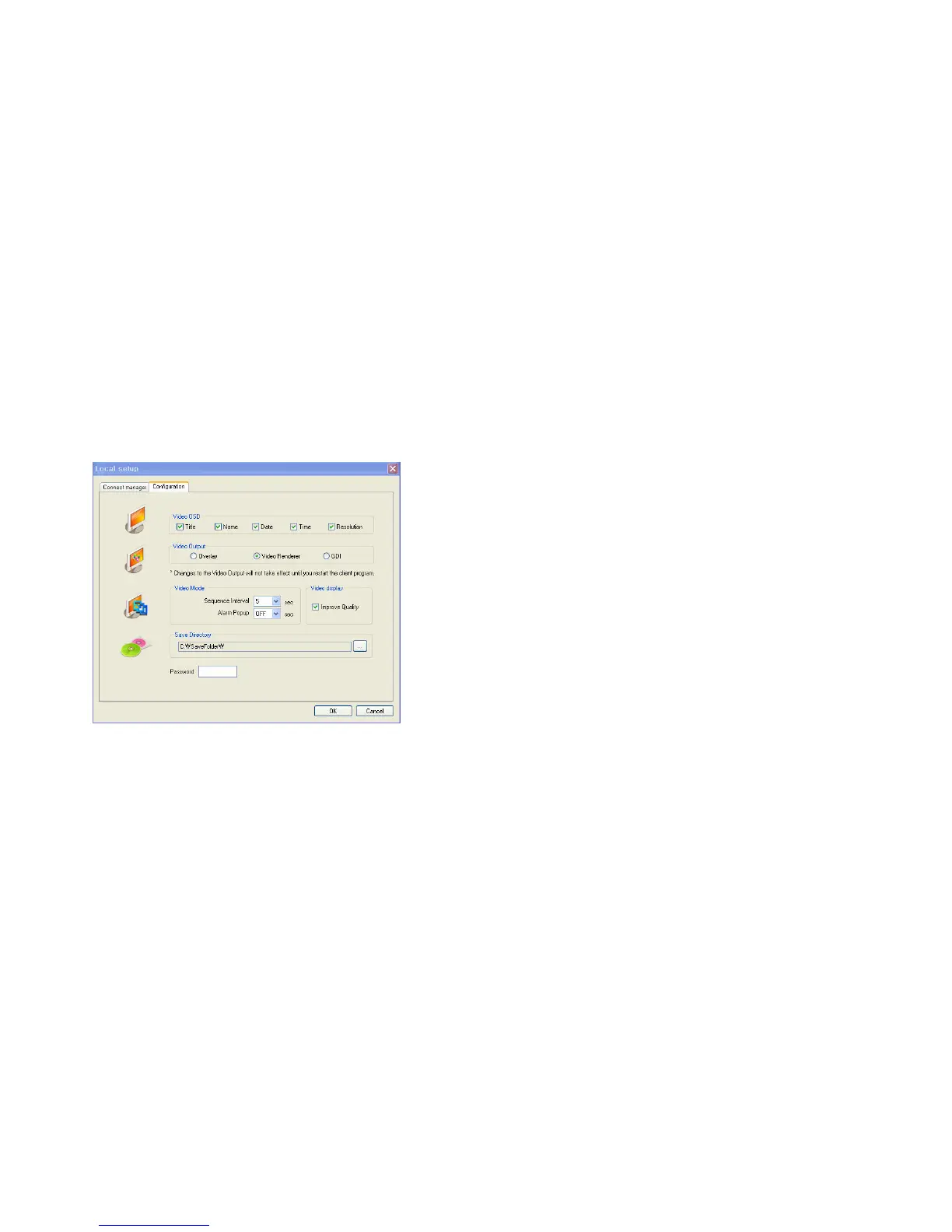
Configuration
① Video OSD : Select screen information. (Title, name, date, time)
② Video Output : Select video output method.
- Overlay Mixer: Output without passing through CPU.
- Video Renderer: Output through CPU.
- GDI: Incase the operator cannot see video by upper 2 methods, use this method.
③ Video mode
- Screen switching interval: During the monitoring, select screen rotation interval time (2~300sec.)
- Alarm pop-up: The Pop-up time of alarm happening channel would be on (2~60sec.) /off.
④ Save Directory: Designate remote PC’s backup image saving folder.
⑤ Password: Incase the password is inputted, it would ask to input the password to enter local setup
menu.
.
Selection Network ID



 To Next Page