69
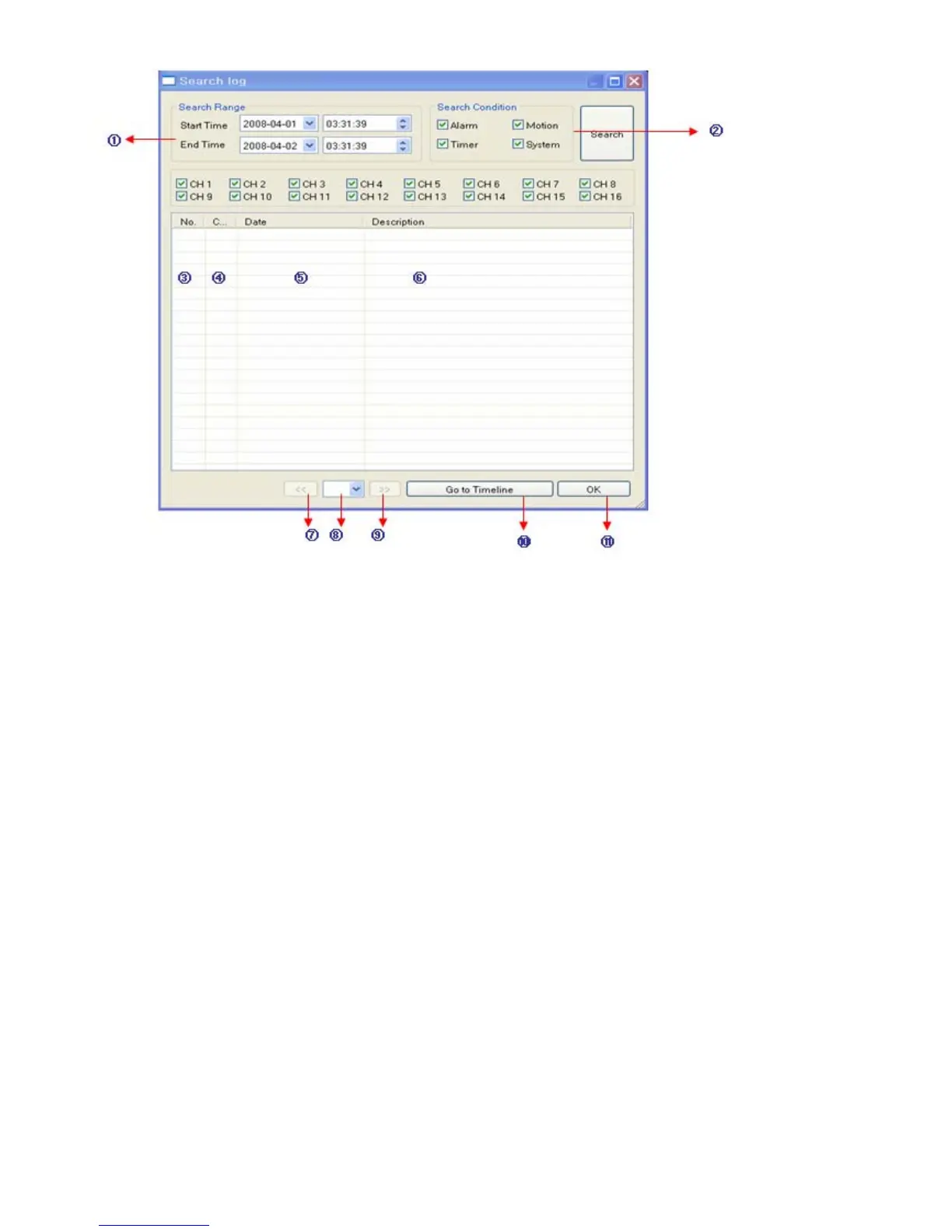
① Select Starting Date/Time and Ending Date/Time to search for Event Log events.
- Press Search Button to search and view search results.
② Choose the DVR to Search.
③ Indicates the order in which events in the Event Log occurred.
④ Indicates the Camera # on which the event occurred.
⑤ Indicates the Date/Time when the event occurred.
⑥ Description of the event.
⑦ Move to Previous Page of search results.
⑧ Move to Next Page of search results.
⑨ Select a page of search results to view.
⑩ Go to selected event on the search timeline.
⑪ Return to Search Window.
- Event Viewer - Show present event in server & find the image.


 To Next Page
 Loading...






