75
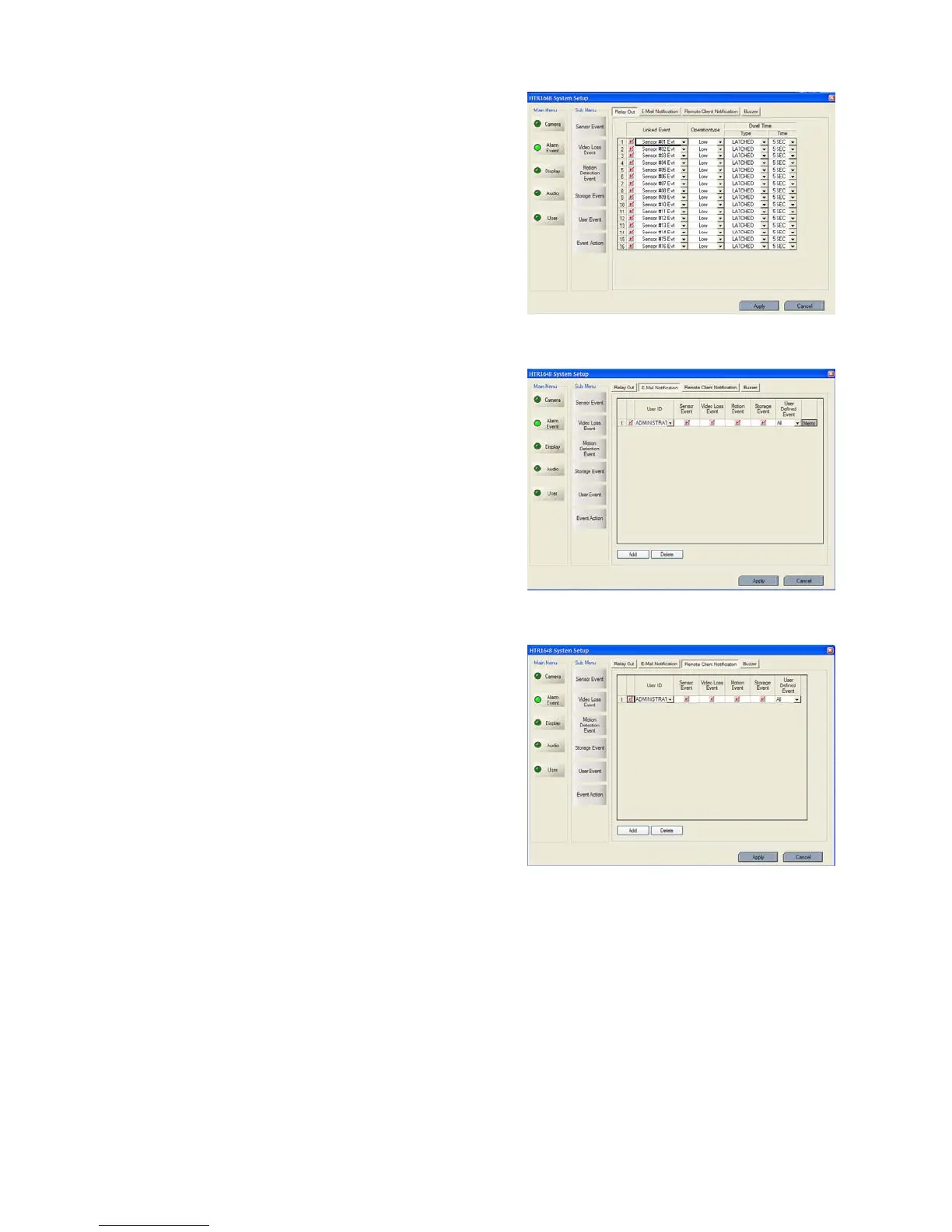
* Relay out
- Select the event to assign the action.
- Select the Activation on/off.
- Active state: Select the operation type (High / Low)
- Dwell: Select the type and action Time.
Transparent: It work from event’s starting time to
event ending time.
Latched: It work during selected period.
(1 ~300 second or until the time the key had been pressed)
* E-mail notification
- Setup the User ID who requires receiving the each event.
- Press “ADD” button.
- After selecting added User ID, select each event
(Sensor (Alarm), Video loss, Motion, Storage and User
Defined Event) and then check the Activation on /off.
- Registered User can be deleted by pressing the
‘Delete” button.
* Remote Client Notification
- When event happens on the selection, it notify the event
to Remote client.
- Press “ADD” button.
- After selecting added user ID, select each event
(Sensor (Alarm), Video loss, Motion, Storage and User
Defined Event) and then check the Activation on /off.
- Registered User can be deleted by pressing the
‘Delete” button.
* Buzzer



 To Next Page