78
- Live Audio
Select the Live audio channel.
- Network Audio
Select the audio transmitter and receiver
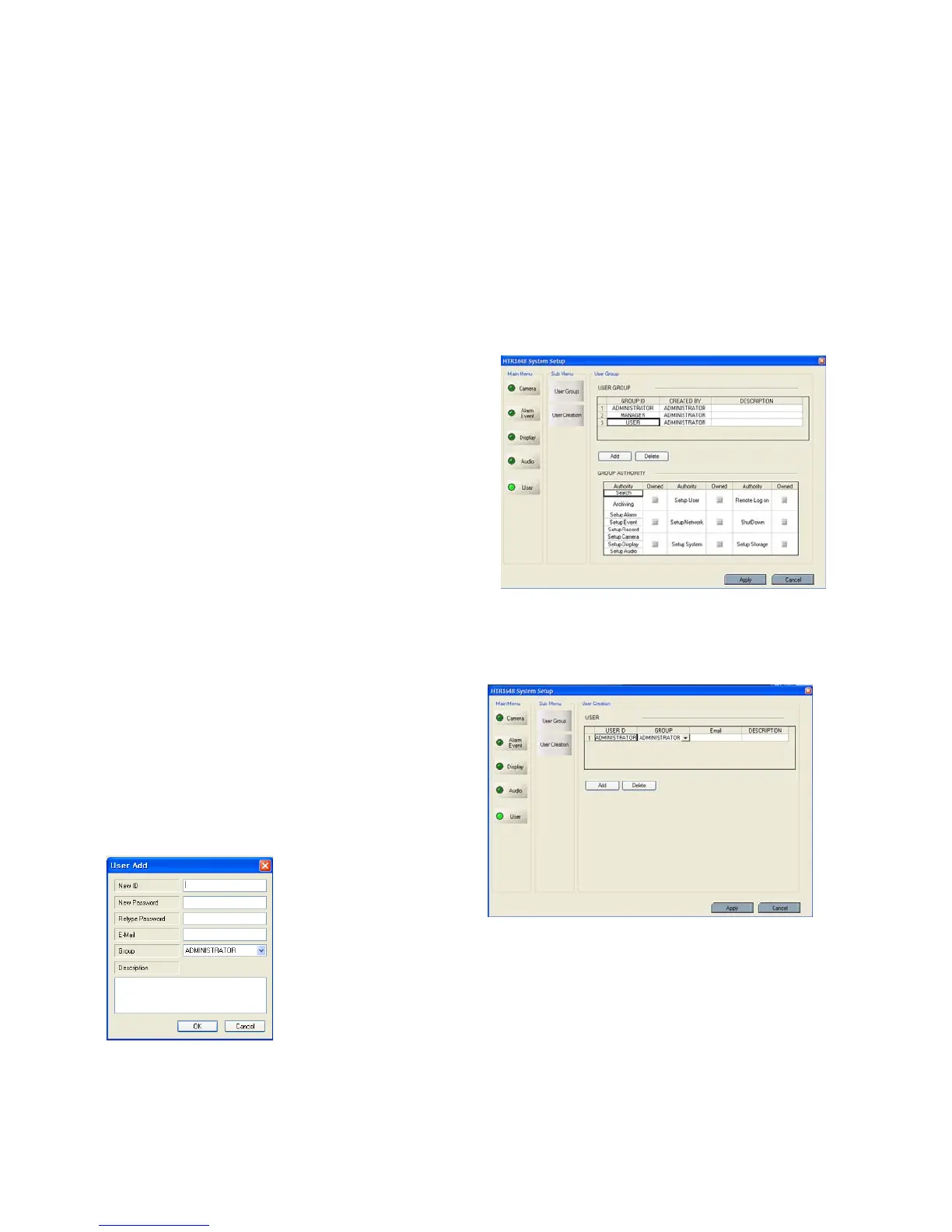
USER
- User group
Default user group (ADMINISTRATOR, MANAGER,
USER) can not be deleted.
After selecting “ADD” button, the operator can make
the new user group with new authority.
From below section, the operator can select each
authority.
After selecting the new group, check the authority that
Is required. Then click the “Apply” button.
How to edit is almost same as same with ADD
after selecting the “EDIT” button.
- User
The operator can add, delete or edit the new user.
When selecting the “ADD” button, it shows “add user”
screen.
After inputting the ID, PW, click the “OK”.
Then select the Group and input the E-mail address.



 To Next Page