77
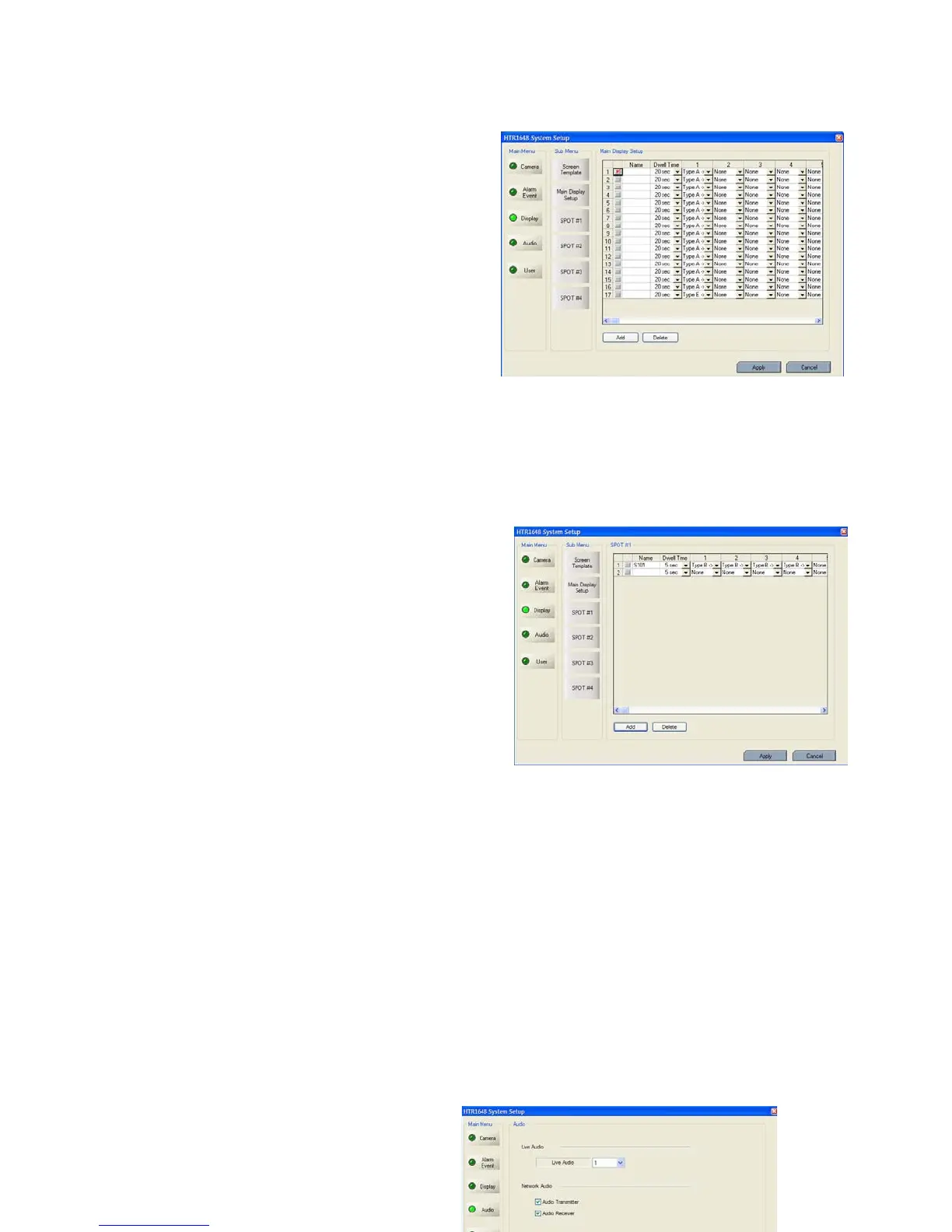
- Main Display Setup
- Press the “ADD” button or select the current list.
- Select the name and dwell time.
- Select the new list.
- Select the screen template that requires to do the
sequencing for each channel.
- The operator can add Max.16EA screen template by
same method.
- Press the “DELETE” button after selecting
the list and list would be deleted.
- The Max. list Number is 16EA.
- For selecting display, check the square.
- Spot#1~4 Sequence
In case of advance spot, how to setup is almost the
same as with main display sequence.
There is only one difference.
The screen template that can be selected is only two
types (1,4 division).
- Press the “ADD” button or select the current list.
- Select the dwell time.
- Select the screen template which requires to do the
sequence.
- The operator can add Max.16EA screen template by
same method.
- Press the “Delete” button after selecting the list and
the list would be deleted.
* The Max. list Number is 16EA for each spot channel.
- How to play and stop the sequence
After clicking mouse right button from live display, select the “SEQUENCE PLAY” or
“SEQUENCE STOP”. Additionally, press the “SEQ” button from DVR.
AUDIO



 To Next Page