nüvi 2200/2300/2400 Series Owner’s Manual 15
Finding Locations
Saving a Parking Spot
1. Touch Where To? > Parking.
2. Touch Parking or Last Spot.
3. Touch > Save.
4. If necessary, enter a name.
Stopping the Route
While navigating a route, touch
> Stop.
Navigating Off Road
If you are not following roadways as
you navigate, use Off Road mode.
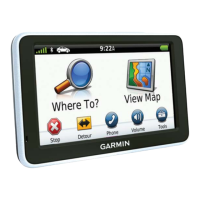
1. From the main menu, touch Tools
> Settings > Navigation.
2. Touch Automobile > nüRoute >
Calculation Mode > Off Road >
Save.
The route will be calculated as a
straight line to the location.
Setting a Home Location
You can set your home location for
the location you return to most often.
1. From the main menu, touch
Where To? > Go Home.
2. Select Enter My Address,
Use My Current Location, or
Recently Found.
Going Home
Before you can navigate to home,
you must set a home location.
From the main menu, touch
Where To? > Go Home.
Resetting Your Home Location
1. From the main menu, touch
Where To? > > Set Home
Location.
2. Select an option.


 To Next Page