30 nüvi 2200/2300/2400 Series Owner’s Manual
Map Pages
• Touch > Show Map to
view the entire route on the
map.
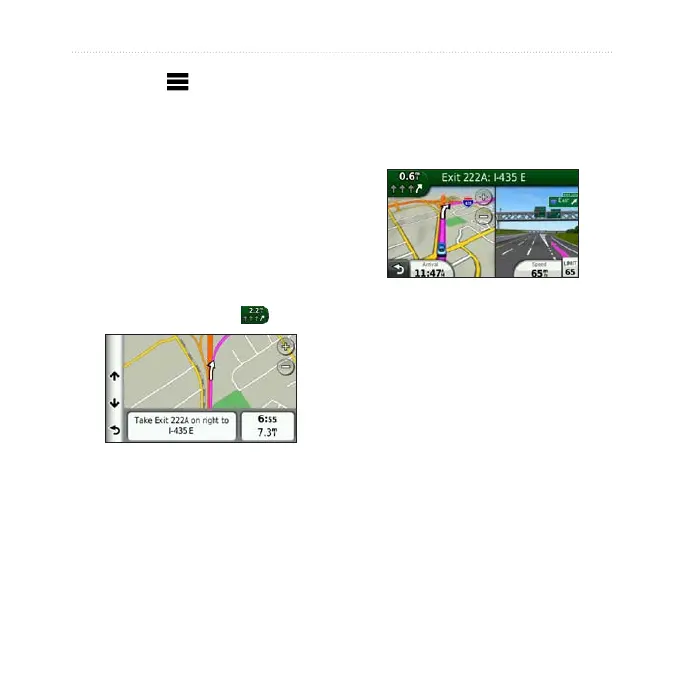
Viewing the Next Turn
Before you can view the next turn,
you must be navigating a route.
The next turn shows the turn on the
map and the distance and time left
before you reach the turn.
From the map, touch .
About Upcoming Junctions
On some models, as you approach a
junction while navigating a route, a
junction view may appear (page 1).


 To Next Page