26 nüvi 2200/2300/2400 Series Owner’s Manual
Voice Command
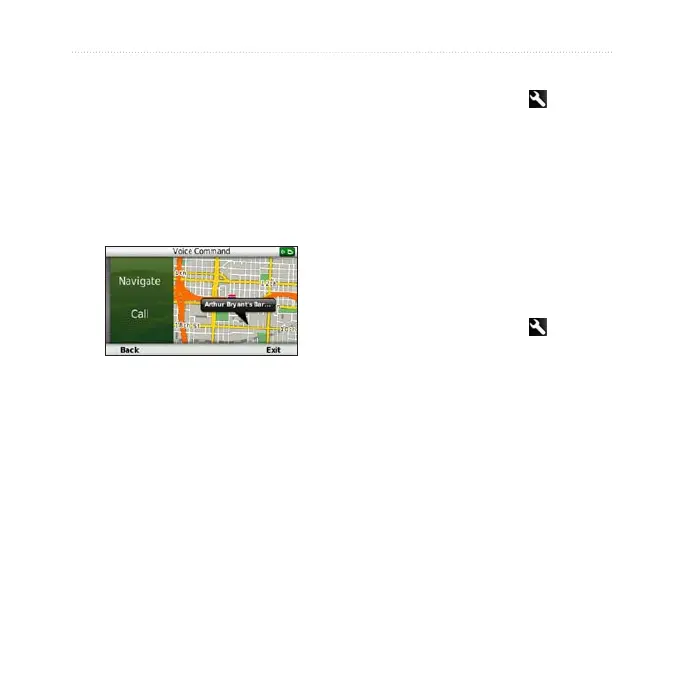
4. Say the line number.
5. Say an option:
• Say Navigate to navigate to
the location.
• Say Call to call the location
when connected to a
compatible mobile phone.
Finding an Address
1. Say Voice Command.
2. Say Find Address.
3. Follow the on-screen instructions.
Muting Instructions
You can disable the voice prompts
for Voice Command without muting
the device.
1. From the main menu, touch Tools
> Voice Command > .
2. Touch Mute Instructions >
Enabled.
Disabling Voice Command
You can disable voice command,
which prevents you from accidentally
opening the voice command while
speaking.
1. From the main menu, touch Tools
> Voice Command > .
2. Touch Voice Command >
Disabled.


 To Next Page