nüvi 2200/2300/2400 Series Owner’s Manual 5
Getting Started
Registering the Device
1. From myDashboard, click
Register Now.
2. Follow on-screen instructions.
Updating the Software
1. Open myDashboard (page 4).
2. Under Software Updates, click
Update Now.
3. Follow the on-screen instructions.
nüMaps Guarantee
™
If you register at http://my.garmin
.com within 60 days of acquiring
satellites while driving, your device
is eligible for one free map update.
Go to www.garmin.com/numaps.
Updating Maps
1. Open myDashboard (page 5).
2. Register the device (page 5).
3. Under Map Updates, click
Update Now.
4. Follow the on-screen instructions.
Device Overview
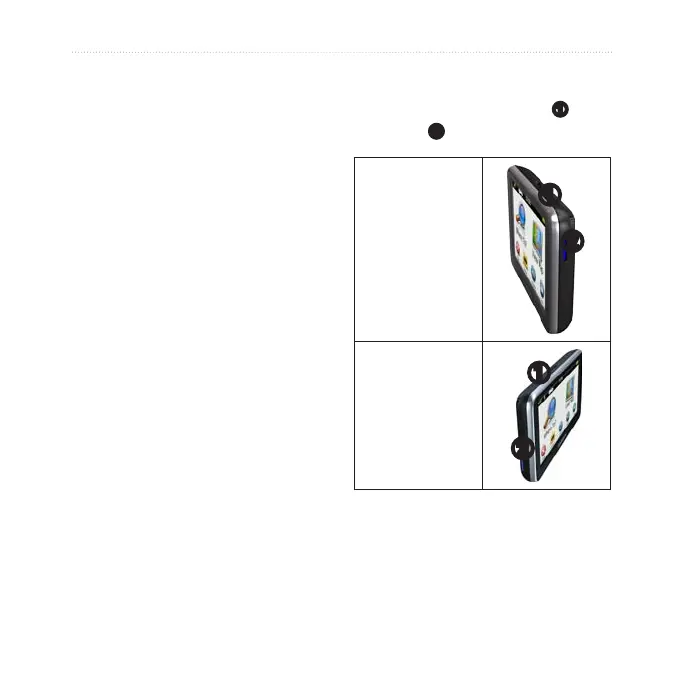
Each model has a power key
➊
and a
microSD
™
➋
card slot.
nüvi 2200
➊
➋
nüvi 2300/2400
➊
➋


 To Next Page