GDL 30/30A Owner’s Manual 13
Atmosphere
The Atmosphere category contains Wind, Pressure, Visibility, Fronts and City Conditions. Each feature can be turned on, off or set to display at a selected zoom range.
Wind
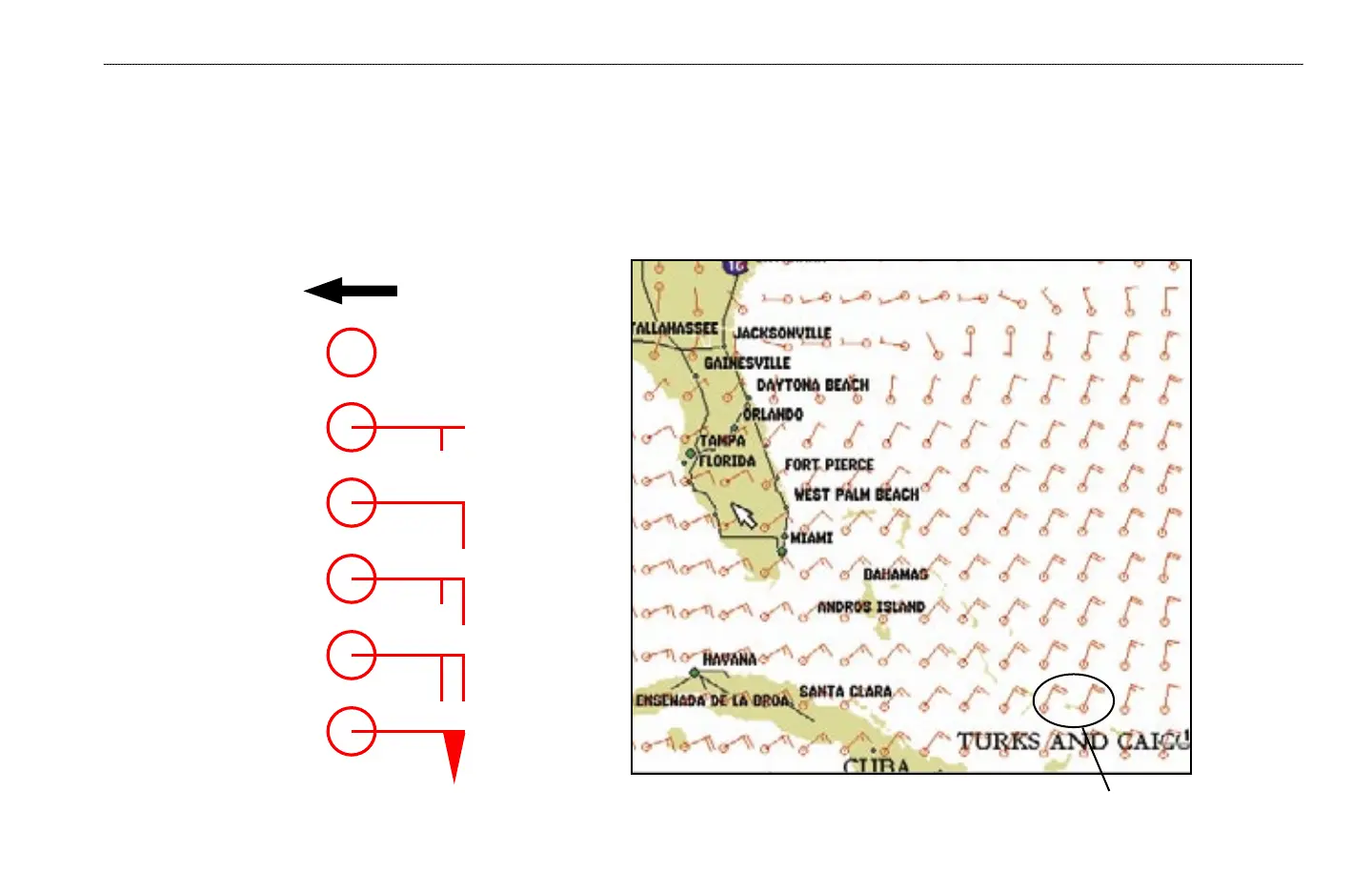
The Wind feature displays wind speed and direction. Wind direction is indicated by a circle with a wind barb. The circle points into the wind with the barb as a tail.
Wind speed is indicated by different flags attached to the barb.
20-knot winds blowing to the Southwest.
Wind Direction
Calm
5 knots
10 knots
15 knots
20 knots
50 knots
WEATHER FEATURES > ATMOSPHERE—WIND


 To Next Page