20 GDL 30/30A Owner’s Manual
MAIN MENU
Weather Tab
The GDL 30/30A provides current weather conditions, forecast information, and sea surface information from the weather center nearest to your present location or a
location selected using the Find Information Page. To display the Weather tab, press and hold the ADJ/MENU key to display the Menu Menu. Using the ROCKER,
highlight the Weather tab. Five sub tabs re available: Current, Forecast, Sea Surface, Forecast Map, and Setup.
Current
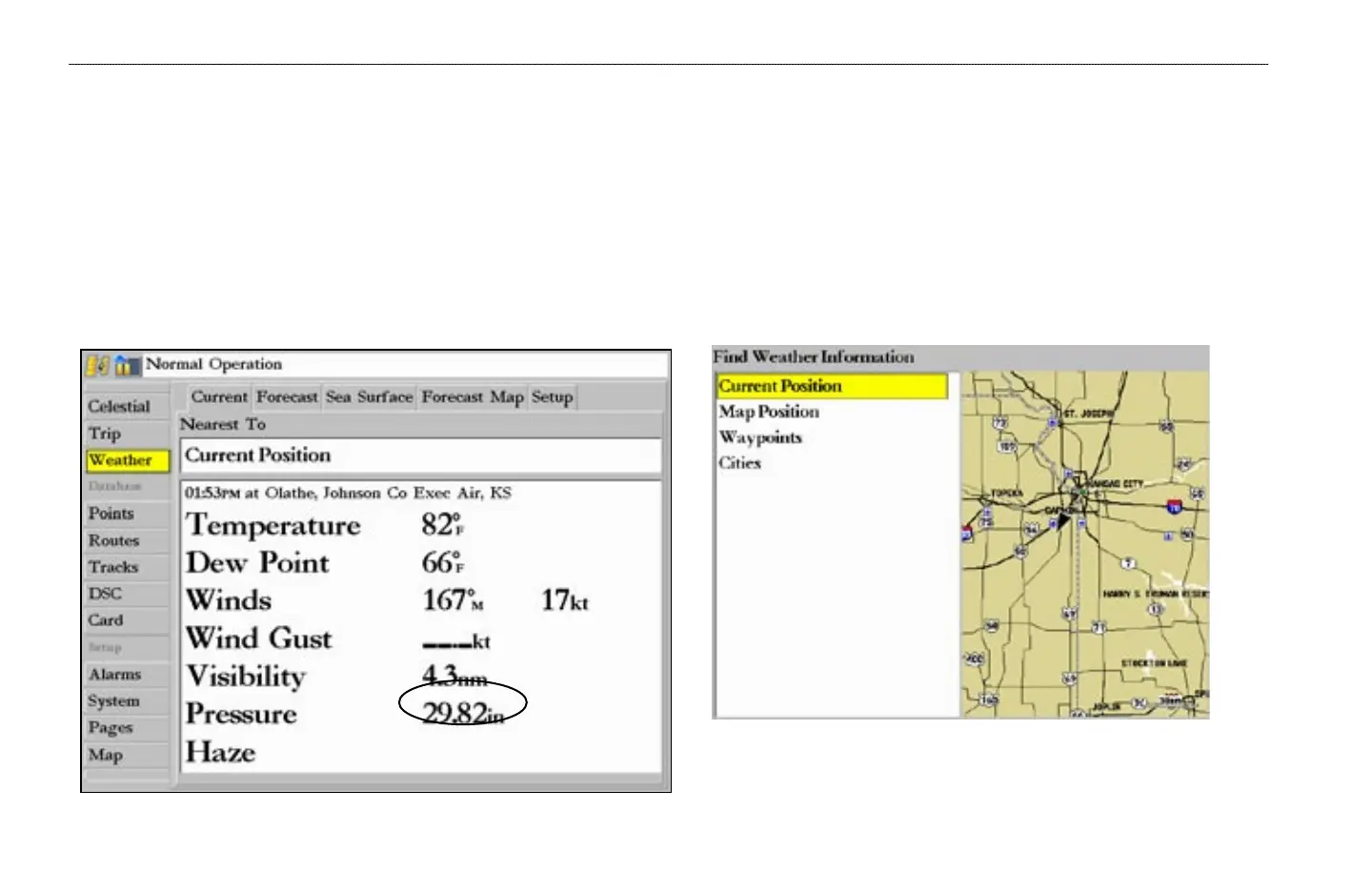
The Current sub tab displays current weather conditions observed at the weather data location closest to your current position or a location selected using the Find
Information Page.
If a condition field is empty, data for that field is not available at this time.
To search for data at a location other than your current location, highlight
Current Position and press ENTER. With the Find Weather Information
Page displayed, highlight a search option and press ENTER. With a new
location selected, all information shown in the sub tab categories relates to
the selected location.
MAIN MENU > WEATHER TAB—CURRENT


 To Next Page