Fishnder 400C Owner’s Manual
BasIc operatIon
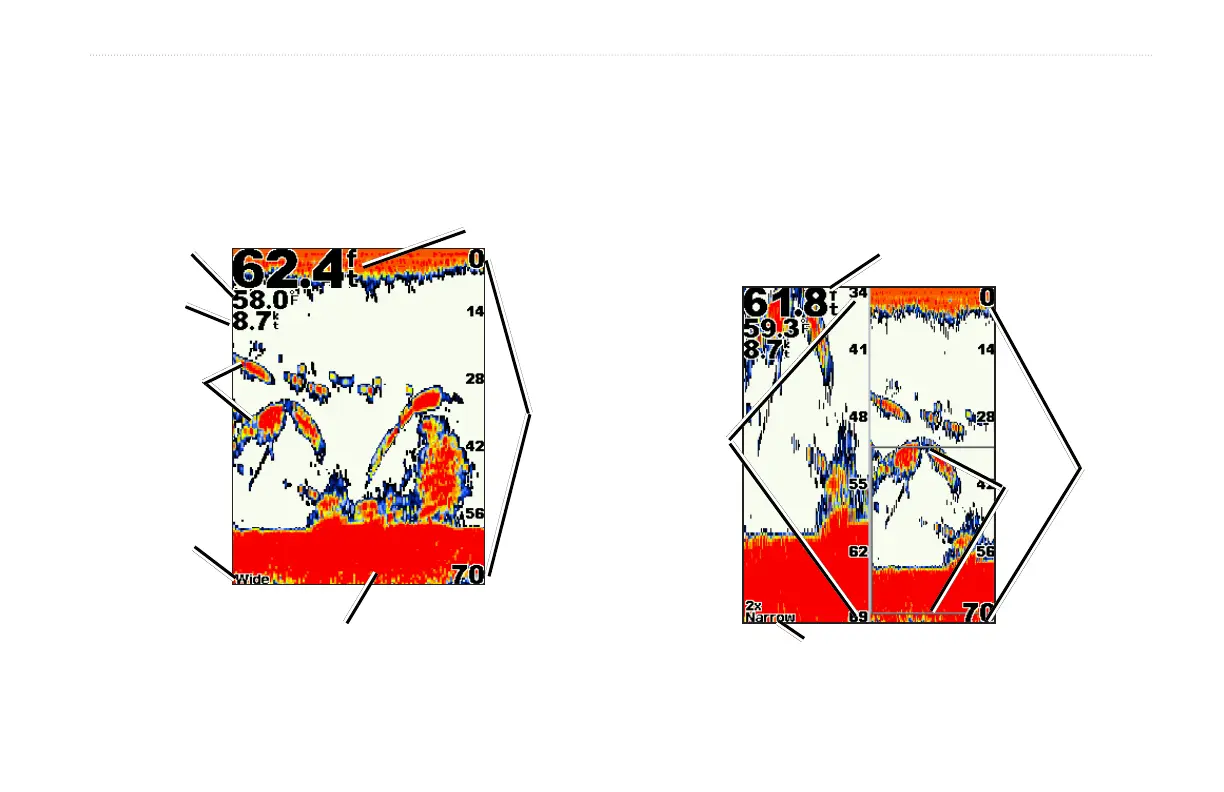
Understanding the Full Screen
The Full Screen is the main screen for both dual beam and dual
frequency transducers.
On the Home screen, highlight Full Screen, and press SELECT.
Depth
Temperature
Speed
Range
Bottom
Suspended
targets
Transducer
mode
Understanding the Split Zoom Screen
Use the Split Zoom screen to view the full sonar data from the graph
as well as a zoomed in portion on the same screen.
On the Home screen, highlight Split Zoom Screen, and press
SELECT.
Depth, temperature,
and speed
Range
Zoom
window
Zoomed
depth scale
Transducer mode












 To Next Page