0 Fishnder 400C Owner’s Manual
BasIc operatIon
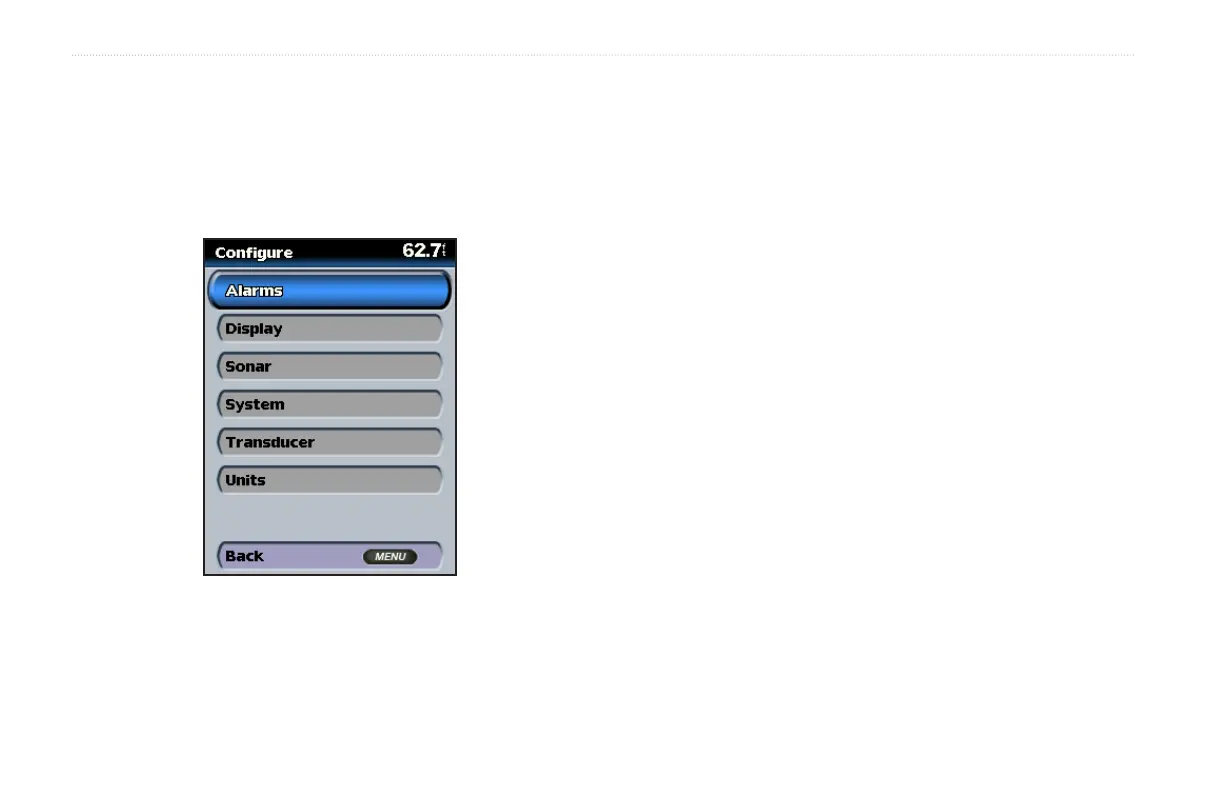
Understanding the Congure Screen
The Congure screen contains the main conguration options for the
Fishnder 400C. From this screen, you can dene and adjust settings
universal to all Fishnder 400C screens.
On the Home screen, highlight Congure, and press SELECT.
Alarms—set alarms to alert you of various events. See page 21.
Display—customize display settings including backlight and Day/
Night mode. See page 21.
Sonar—customize sonar settings. See page 22.
System—set various system options. See page 23.
Transducer—set transducer options. See page 23.
Units—customize the units of measure shown on Fishnder 400C
screens. See page 24.
For more information on the Congure screen, see the “Customizing
the Fishnder 400C” section beginning on page 21.












 To Next Page