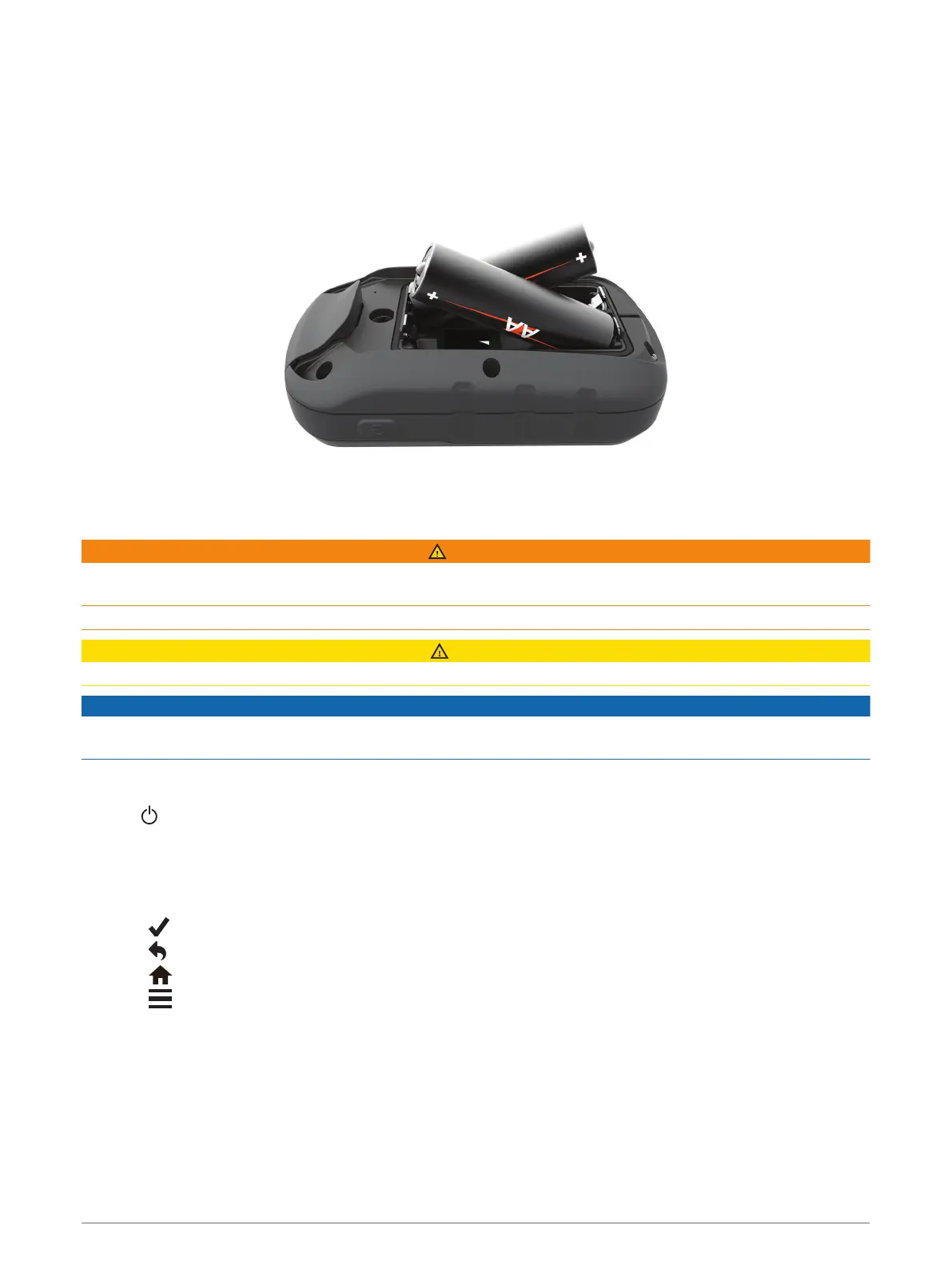
Installing AA Batteries
The handheld device operates on two AA batteries (not included). Use NiMH or lithium batteries for best
results.
1 Turn the D-ring counter-clockwise, and pull up to remove the cover.
2 Insert two AA batteries, observing polarity.
3 Replace the battery cover, and turn the D-ring clockwise.
Battery Information
WARNING
The temperature rating for the device may exceed the usable range of some batteries. Alkaline batteries can
rupture at high temperatures.
Do not use a sharp object to remove batteries.
CAUTION
Contact your local waste disposal department to properly recycle the batteries.
NOTICE
Alkaline batteries lose a significant amount of their capacity as the temperature decreases. Use lithium
batteries when operating the device in below freezing conditions.
Turning On the Device
Hold .
Using the Touchscreen
• Tap the screen to select an item.
• Make each touchscreen selection a separate action.
• Select to save your changes and close the page.
• Select to return to the previous page.
• Select to return to the main menu.
• Select to view specific menu items for the page you are viewing.
2 Introduction













 To Next Page