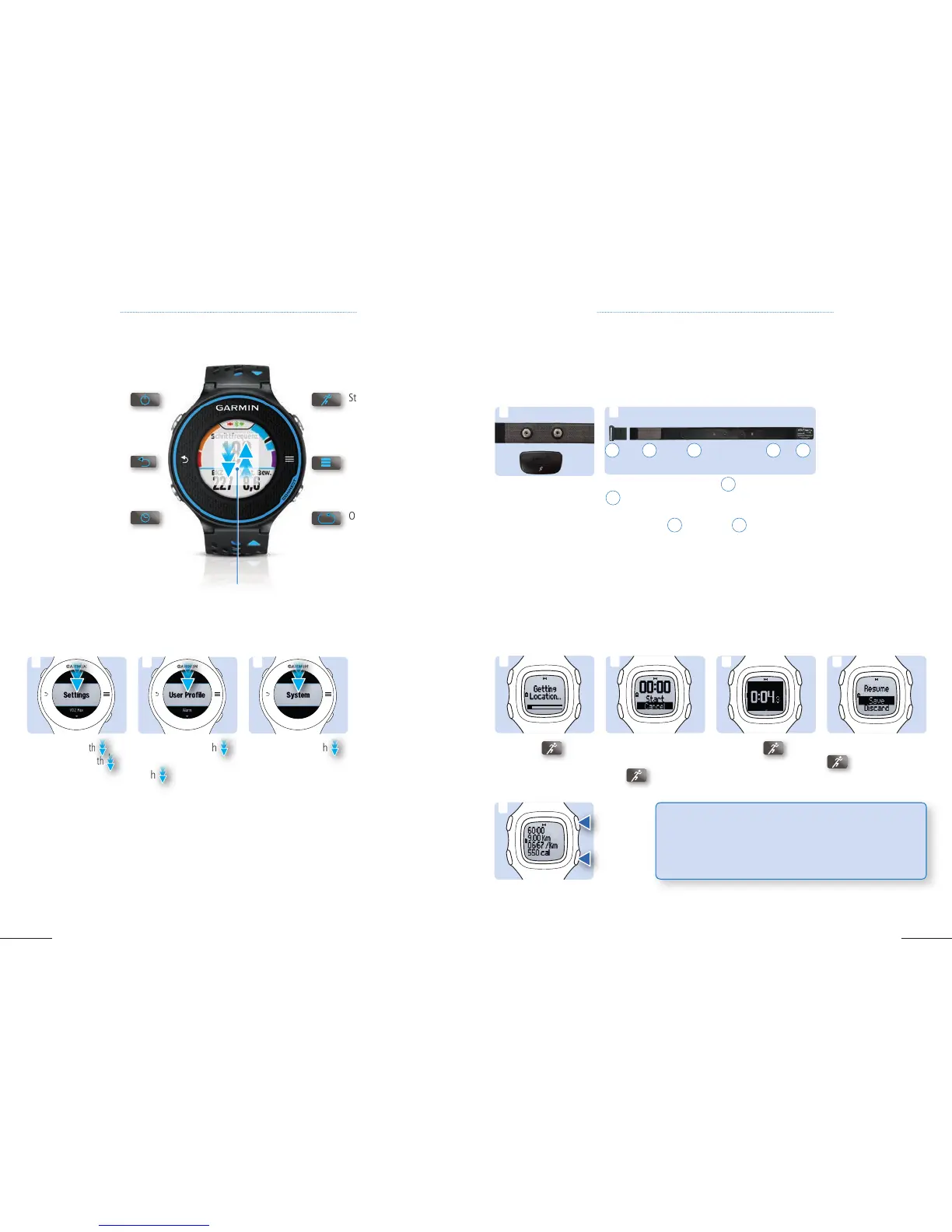
Overview Forerunner
®
620
2. Scroll down with
,
select User Profile
with to change the
following data:
Weight / Birth Year
/ Height / Gender /
Heart Rate Zones
3. Scroll down with ,
select System to change
the following data:
Language / Clock /
Backlight / Sounds /
Units / Theme Color /
GPS / Format / Data
Recording / Restore
Defaults / Software
update
1.
Scroll down with
,
select
Settings
with
.
1 2 3
1.5 ATTACHING THE HEART RATE MONITOR (HRM)
1. Attach the heart rate
module to the strap.
4. Bring the device
within 3m of the HRM.
After you put on the
HRM, it is active and
will send data auto-
matically. If the HRM is
not recognized you can
pair it from the settings
menu.
2. Wet the the contact path
2
and the electrodes
3
on the back of the strap.
3. Wrap the strap around your chest and connect
the strap hook
4
to the loop
5
.
1
CHAPTER 1: BASIC SETUP CHAPTER 1: BASIC SETUP
Your Heart Rate Monitor helps you evaluate your activities, see your progress and plan your future
workouts.
1.6 RUN SUMMARY: START, STOP, SAVE AND VIEW
2. Once the stop watch
appears, select start
with
.
3. Click on
to
stop.
4. Select Save with
to save your
activity.
1. Click on
and
wait until you get your
GPS location.
TIP: If you do not manage to obtain a GPS location, it
means that you do not have reception where you are
standing. Make sure you have a clear view of the sky and
use the time for a warm up.
1
3 4
2
Forerunner
®
15
5.
Review your run
directly or by clicking on
details.
5
To start, stop and view your activity:
2
324 3 5



 To Next Page