1110
1. To sign up for a free Garmin Connect account,
go to www.garminconnect.com/start
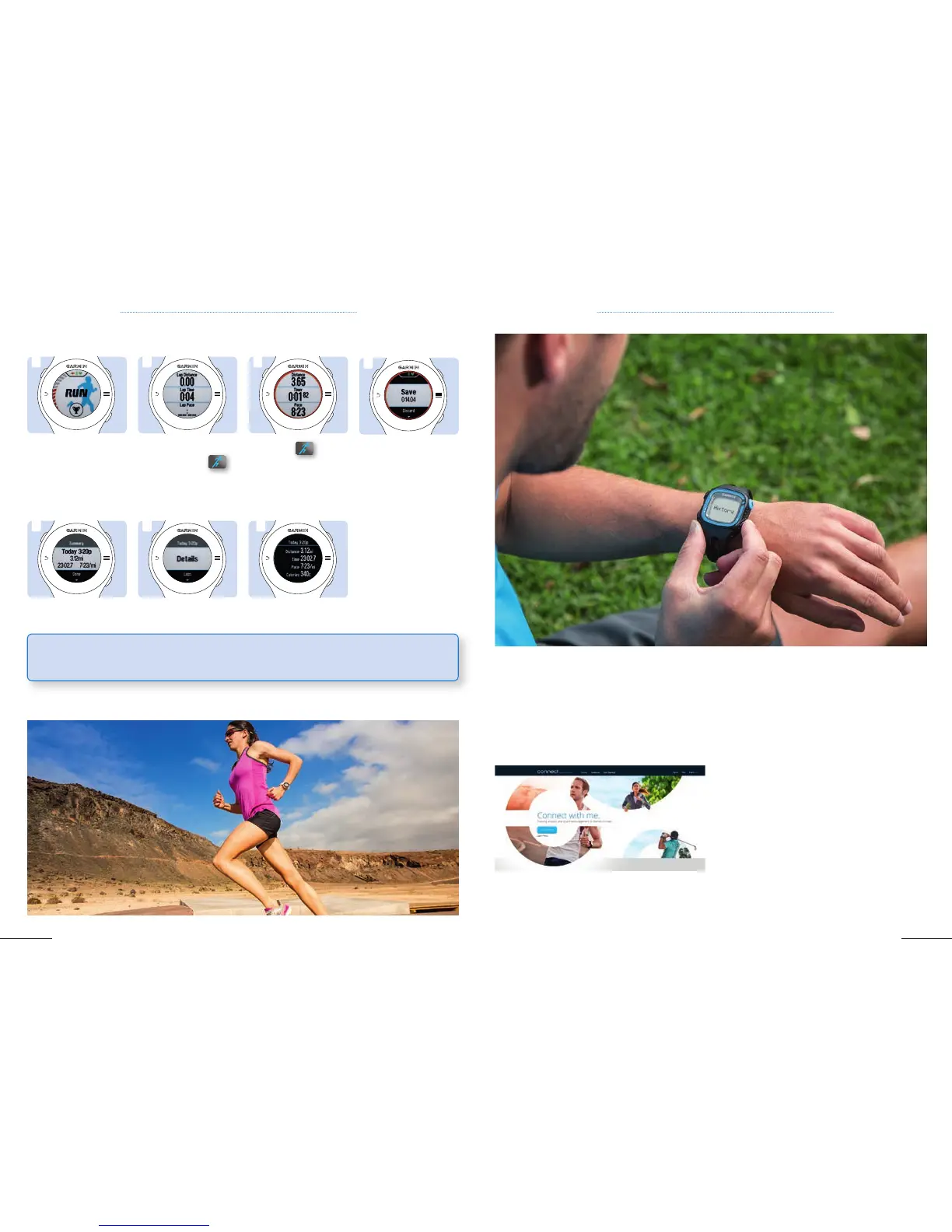
2. Once you complete and save an activity on your
device, you can upload it to Garmin Connect by
connecting your device through your PC / Mac and
Garmin Express. (See chapter 2.2).
2. Once the stop watch
appears, click on
to
start your activity .
3. Click on
to stop
your activity.
1. Wait until you get
the GPS location
shown by the red bar
on the left of your
screen.
1 2 3
5. Review your run directly or by touching Today, then Details.
5 5 5
Forerunner
®
620
4. Touch Save on the
screen to save the
activity.
4
CHAPTER 1: BASIC SETUP CHAPTER 2: COMPLEMENTARY APPLICATION / SOFTWARE
Garmin Connect is a web application designed for indoor and outdoor athletes to track, improve and
share their performance and to discover new courses. Garmin Connect displays all of your recorded data
within a set of flexible dashboards allowing you to analyze the data in a basic or more advanced way. It
also allows you to plan your future workouts according to personal or specific goals (marathon, triathlon,
20k, 10k).
2.1 GARMIN CONNECT
TIP: Press upper display edges while searching for GPS signal to switch off GPS in case of indoor
training



 To Next Page