1312
CHAPTER 2: COMPLEMENTARY APPLICATION / SOFTWARE CHAPTER 2: COMPLEMENTARY APPLICATION / SOFTWARE
Garmin Connect Mobile is a free application for Android and iOS devices which gives you
access to all of your Garmin Connect data at your fingertips – anytime, anywhere. When
used with compatible Garmin devices, you can share your activities as they happen, wire-
lessly upload activities and much more!
Garmin Connect Mobile is compatible with a range of devices which support Bluetooth Low Energy (BLE).
A list of BLE compatible devices can be found here: www.garmin.com/ble
2.3 GARMIN CONNECT MOBILE
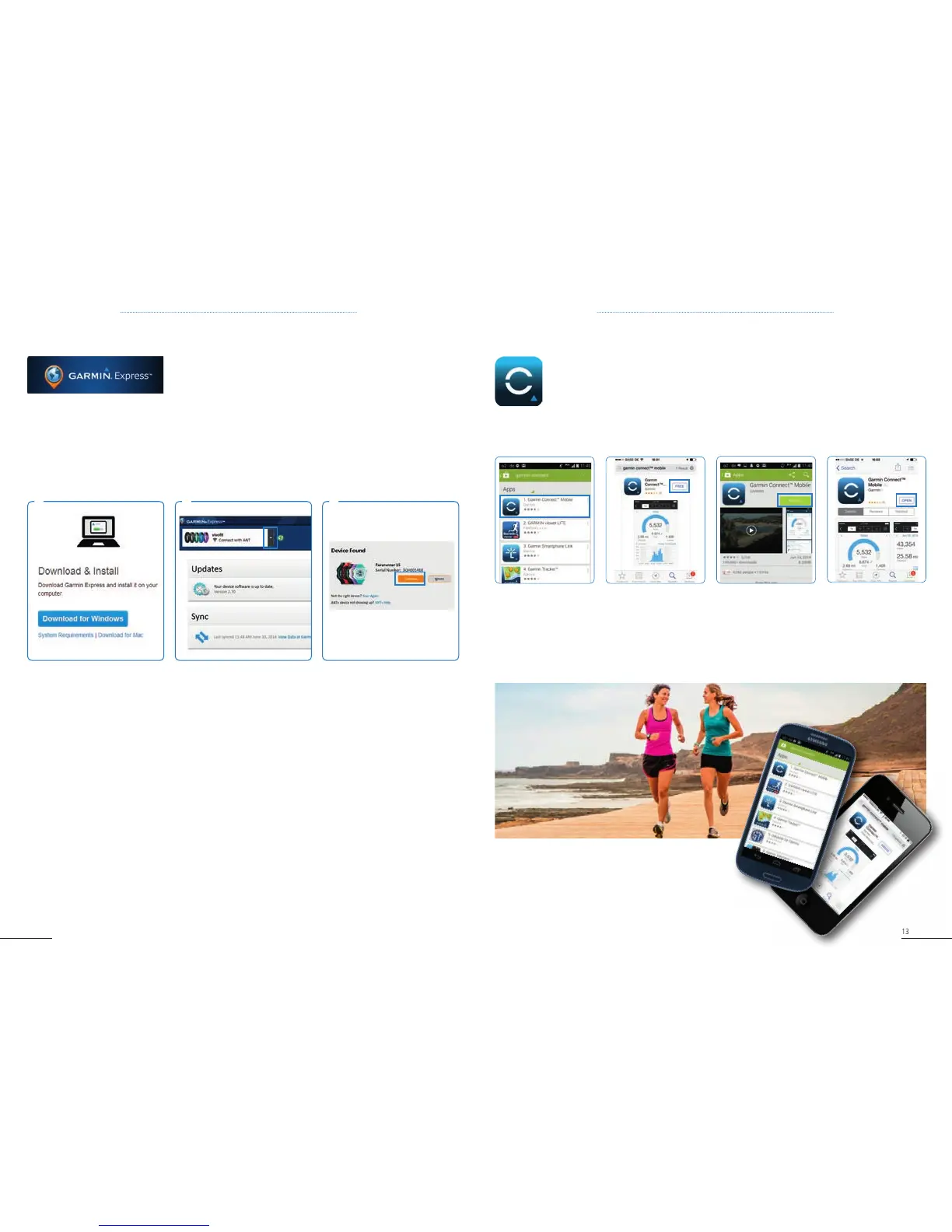
1. On your mobile phone, go to the Google Play or
iTunes / App Store.
2. Search for Garmin Connect.
3. Once you find Garmin Connect Mobile, click
Free then Install.
2.2 GARMIN EXPRESS
1. Download from
www.garmin.com/express
2. Follow the instructions to
install Garmin Express on your
PC / Mac.
3. Once Garmin Express is
installed, connect your new
device to your computer and
open Garmin Express.
4. It will automatically detect
your device. If your device is not
detected, click on menu and
select
Add a new device.
5. Select Continue. Then follow
the instructions on Garmin
Express.
Garmin Express is our desktop tool that helps you manage your
Garmin devices.
• Registeryourdevices
• Updateyourmapsanddevicesoftware
• UploadactivitiestoGarminConnect
• Manageyourdevicesettings
1 2 3
If your device is not displayed / detected



 To Next Page