1514
e.g. possible data:
CHAPTER 3: FORERUNNER
®
15 CHAPTER 3: FORERUNNER
®
15
Power on / off
Light on / off
Start / Stop / Select
Down Go back
OVERVIEW FORERUNNER
®
15
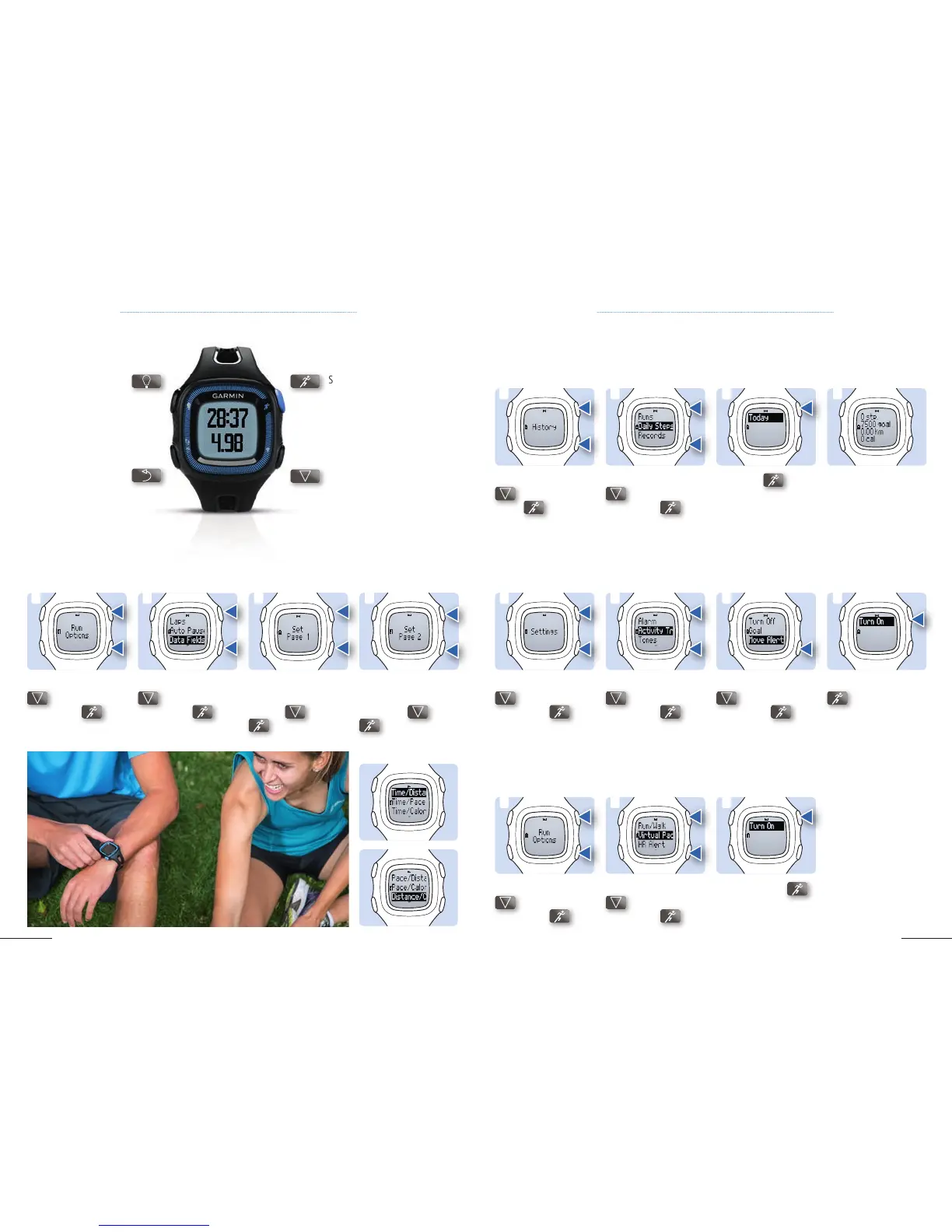
2. Scroll down with
to Data Fields,
select it with
.
3. Configure your data
fields for screen 1 by
pressing
and
.
4. Continue configu-
ration with screen 2
by pressing
and
.
1. Scroll down with
to Run Option,
select it with .
3.1 CONFIGURABLE DATA FIELDS
1 3
4
2
3.2 DAILY STEPS
2. Scroll down with
to Daily Steps,
select it with
.
3. Click on
to
select thetime period
(here Today).
4. Review your data.1. Scroll down with
to History, select
it with
.
1 2 3 4
2. Scroll down with
to Virtual Pacer,
select it with
.
3. Turn On with
.1. Scroll down with
to Run Options,
select it with
.
3.4 VIRTUAL PACER
1 2 3
2. Scroll down with
to Activity Tr,
select it with .
3. Scroll down with
to Move Alert
,
select it with .
4. Select Turn On with
.
1. Scroll down with
to Settings,
select it with
.
3.3 ACTIVITY ALERT
This device records your total number of steps taken during the day. It motivates you to walk and to stay
active.
Sitting for prolonged periods of time can cause unfavorable changes in your metabolism. After one hour
of inactivity, Move! appears to remind you to get up for a walk. Activity Alert is set to On by default.
Virtual Pacer is a training tool designed to help you improve your performance by encouraging you to run
at a specific pace set by you.
1 2 43
Configurable Data fields provide you with the ability to configure screens according to your personal
preferences.



 To Next Page