1716
CHAPTER 3: FORERUNNER
®
15 CHAPTER 3: FORERUNNER
®
15
3.5 HEART RATE (HR) ALERT 3.7 AUTO PAUSE
a
b
a
b
1 2 3
2. Scroll down with
to HR Alert,
select it with
.
3. Turn On with
.1. Scroll down with
to Run Options,
select it with
.
1
2
3
2. Scroll down with
to Auto
Pause, select it with
.
3. If not activated,
select Turn On with
.
1. Scroll down with
to Run Options,
select it with
.
a
b
a
b
1 2 31
2
3
3.6 AUTO LAP
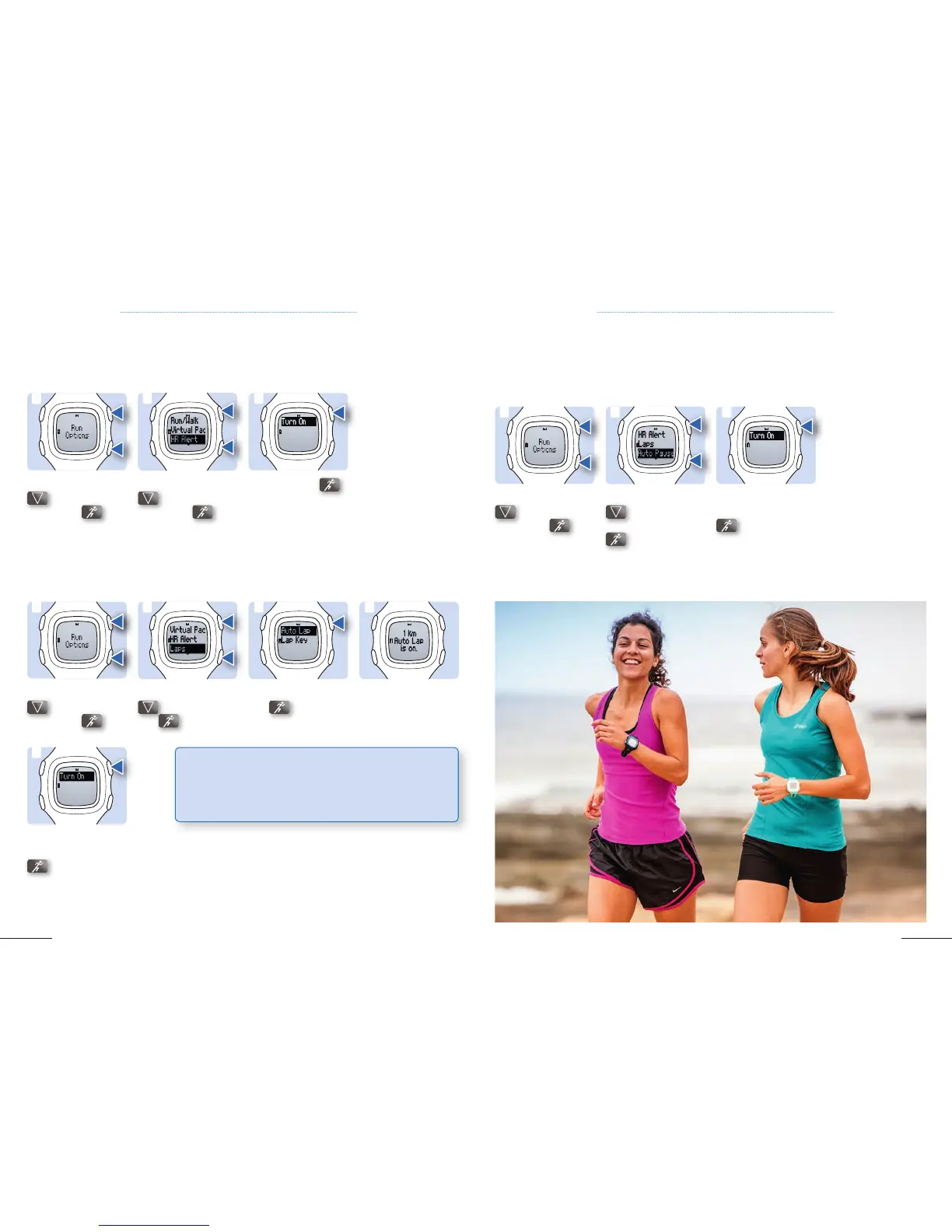
If you‘re using a heart rate monitor, you can set the device to alert you when your heart rate is
above or below a target zone or a custom range.
Auto Pause stops the timer automatically when you stop moving. This is helpful if your run
includes stop lights or other places with frequent stops removing those involuntary breaks from
your activity.
2. Scroll down with
to Laps, select it
with
.
5. If not activated,
select Turn On with
.
1. Scroll down with
to Run Options,
select it with
.
a
b
5
3. Select Auto Lap
with .
4. Screen you will see if
Auto Lap is activated.
The Auto Lap feature automatically marks a lap at every kilometer, and you can mark laps manually for
comparing performance over longer runs for an one kilometer segment.
1 2 43
TIP: To learn more about using the Forerunner
®
15, please
check out our Learning Center for some video tutorials:
http://www8.garmin.com/learningcenter/into-sports/
forerunner-15/



 To Next Page