60 GPSMAP 292/298 Owner’s Manual
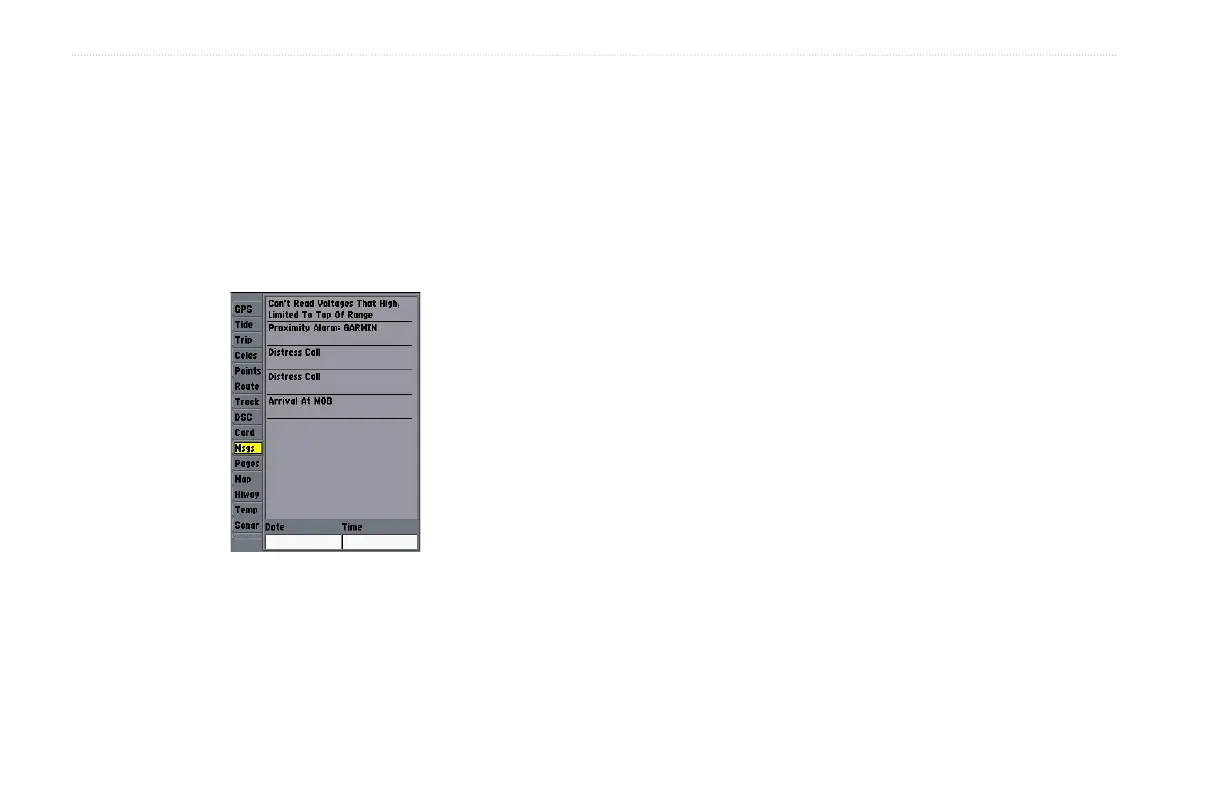
MAIN MENU > MSGS TAB
Msgs Tab
The Message tab on the Main Menu shows a list of messages
generated by your GPSMAP 292/298. Use the ROCKER to scroll
through the entire list of messages on the Log tab.
To view the messages:
1. Press and hold ADJ/MENU twice to open the Main Menu.
2. Highlight Message from the vertical list of tabs.
3. Use the ROCKER to highlight a message. Press ENTER to
view detailed information about that message.
To delete all messages:
1. Press and hold ADJ/MENU twice to open the Main Menu.
2. Highlight Message from the vertical list of tabs.
3. Highlight a message, and press ADJ/MENU. Delete All
appears.
4. Press ENTER. Select OK, and press ENTER again to
confirm.













 To Next Page