Message Tab
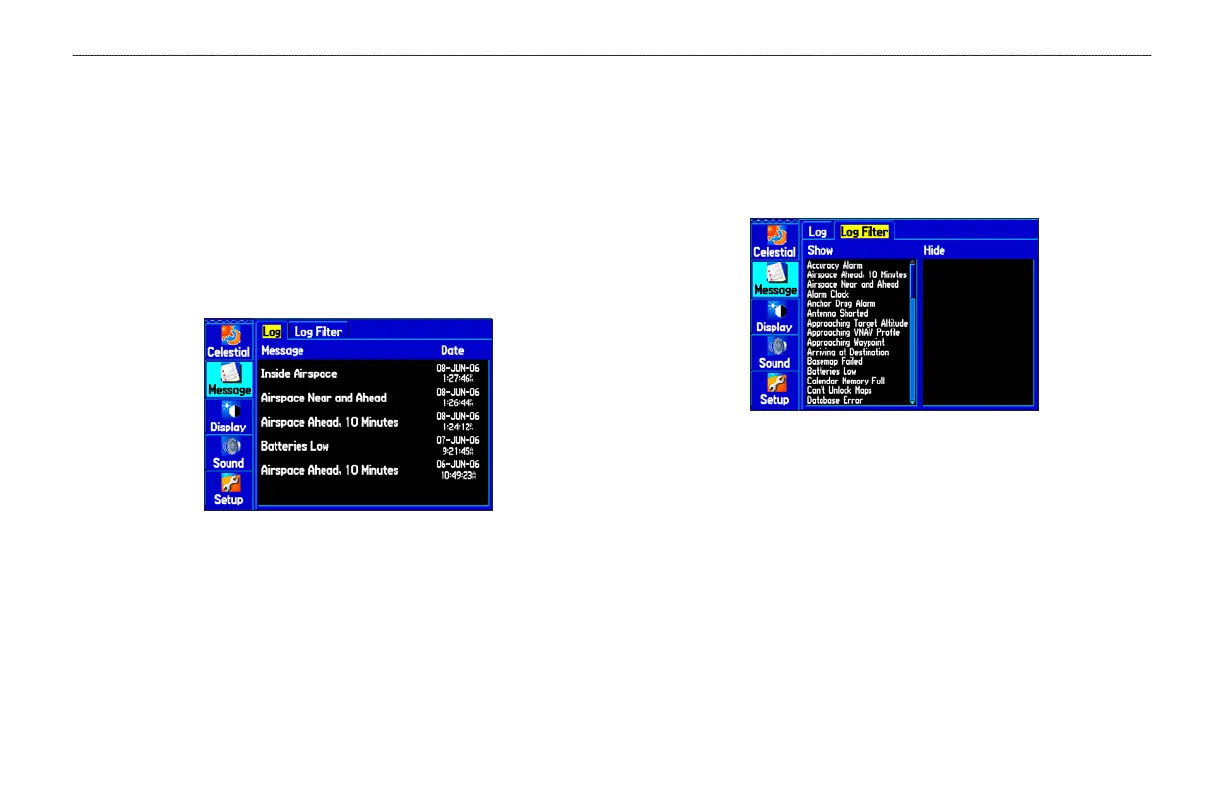
The Message tab shows a list of messages generated by your
GPSMAP 496. Use the ROCKER to scroll through the list of
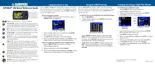
messages on the Log tab. Use the Log Filter tab to show only the
types of messages you want to view.
To view the messages:
1. Press MENU twice to open the Main Menu.
2. Highlight Message from the vertical list of tabs.
Message Log Tab
3. Use the ROCKER to highlight a message. Press ENTER to
view detailed information about that message.
To show or hide messages using the Log Filter:
1. Press MENU twice to open the Main Menu.
2. Highlight Message from the vertical list of tabs.
3. Use the ROCKER to highlight the Log Filter tab. By default
all messages are shown.
Message Log Filter Tab
4. Use the ROCKER to highlight the message you want to hide,
and press ENTER.
5. The message name then appears in the Hide window.
Highlight the message, and press ENTER to show it again.
GPSMAP 496 Owner’s Manual 113
MAIN MENU > MESSAGE TAB













 To Next Page