Interfacing
The following formats are supported for connection of external
devices: GARMIN proprietary Differential GPS (DGPS), NMEA
0180, 0182, 0183 (versions 1.5, 2.0, 2.3, 3.01), ASCII Text Output,
RTCM SC-104 input (version 2.0), and Garmin proprietary formats
for connecting to a Mode S transponder for TIS data, and to a
Garmin aviation NAV/COM radio.
The following are the Approved Sentences for NMEA 0183,
version 3.01 output: GPRMC, GPGGA, GPGSA, GPGSV, GPGLL,
GPBOD, GPRTE, and GPWPL. The following are the Proprietary
Sentences for NMEA 0183, version 3.01 output: PGRME, PGRMZ,
PGRMM, and PGRMH.
The GPSMAP 496 also includes NMEA input with support for the
BWC, DBT, DPT, MTW, VHW, VTG, and XTE sentences.
Garmin’s proprietary communication protocol is available from the
Web site (www.garmin.com).
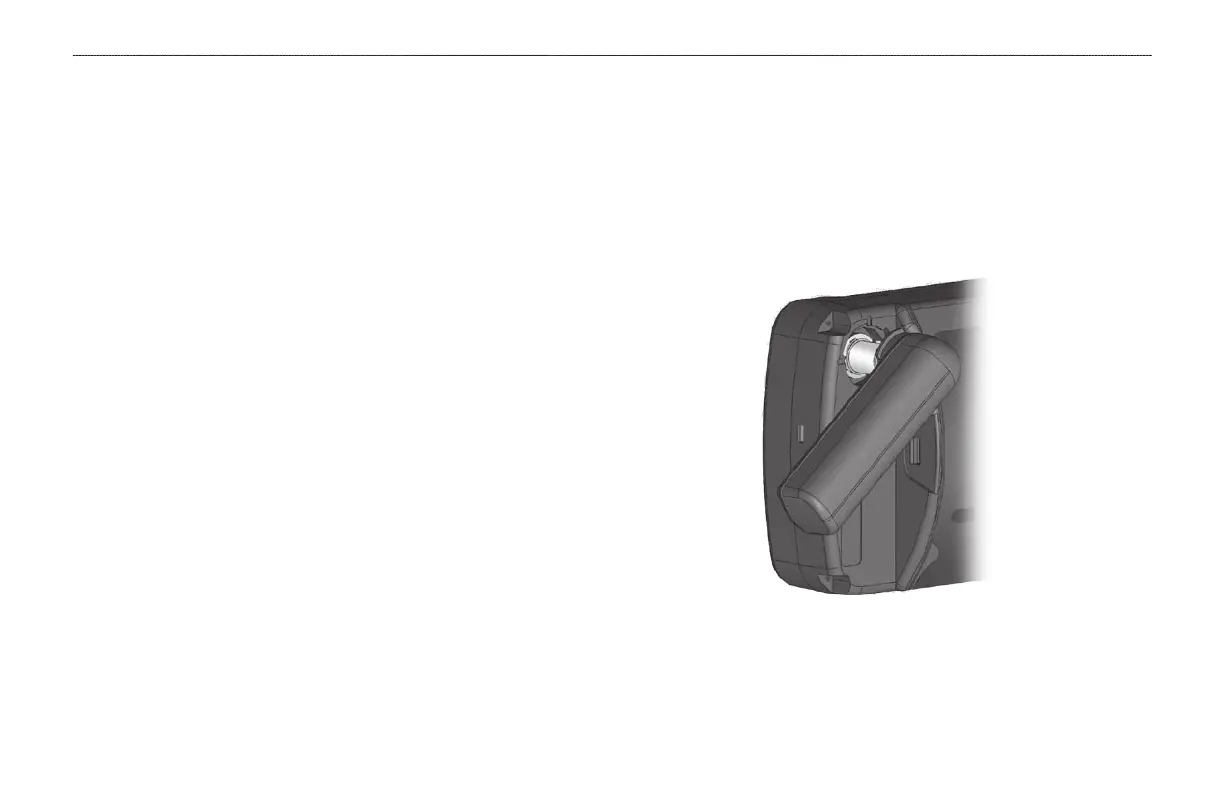
Removing the GPS Antenna
You can remove the antenna to use an external antenna. After the
antenna is removed, the BNC connector is exposed and ready for use
with an external antenna. For information on connecting an external
antenna to the GPSMAP 496, refer to the installation instructions
that came with the antenna.
To remove the GPS antenna:
1. Remove the external power cable from the connector on the
back of the GPSMAP 496.
2. Rotate the antenna to approximately a seven o’clock
position. The alignment notches in the casing must line up
with the notches on the antenna.
3. Pull the antenna away from the GPSMAP 496 unit.
Removing the GPS Antenna
162 GPSMAP 496 Owner’s Manual
APPENDIX > INSTALLATION INFORMATION













 To Next Page