AUTOMOTIVE
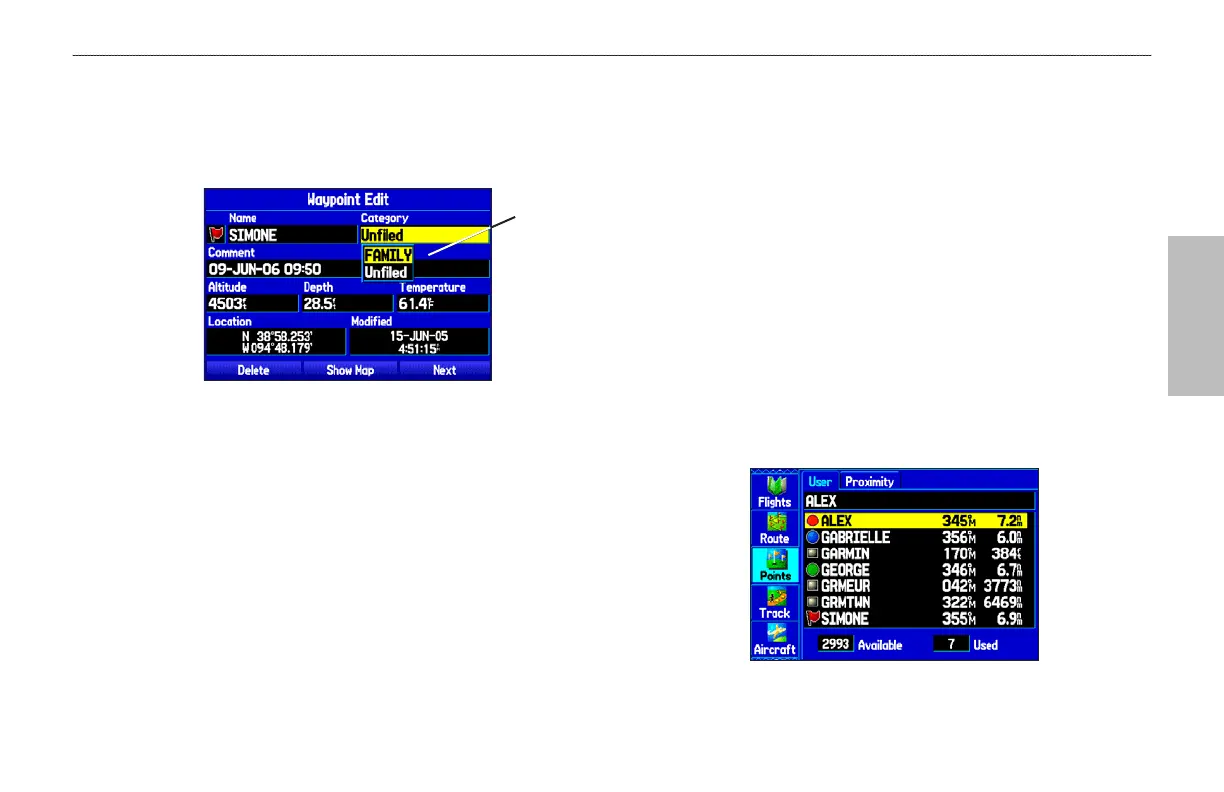
To assign a category to a waypoint:
1. Open the Waypoint Page. (You can also change the category
on the New Waypoint Page.)
2. Select the Category field, and press ENTER.
Waypoint Page
Select the
category to
which you want
to assign this
waypoint.
3. Select the category you want to assign the waypoint to, and
press ENTER.
Managing Points
The Points tab features two sub tabs, User and Proximity, that
let you edit waypoints and manage a large number of waypoints
quickly and efficiently. For more information about creating, editing,
and deleting waypoints, refer to the “Creating Waypoints” section
beginning on page 63.
To access the Points tab of the Main Menu:
1. Press MENU twice to open the Main Menu.
2. Highlight Points from the vertical list of tabs.
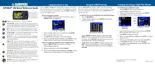
User Points Tab
The User Points tab shows a master list of all waypoints currently
stored in memory. From the User list, you can review, edit, rename,
or delete individual waypoints or delete all user waypoints.
User Points Tab
GPSMAP 496 Owner's Manual 83
AUTOMOTIVE MODE PAGES AND FEATURES > EDITING AND MANAGING WAYPOINTS













 To Next Page