EasyManua.ls Logo

Garmin GPSMAP 64s - Connecting to Computer and File Operations; Connecting Device and File Transfer

Garmin GPSMAP 64s
50 pages
Print Icon
To Next Page IconTo Next Page
To Previous Page IconTo Previous Page
Loading...
ffi
CAUTION
Contact your
local
waste
disposal
department
to
properly recycle
the
batteries.
NOTICE
Alkaline batteries
lose a significant
amount
of
their capacity
as the
temperature decreases. Use
lithium
batteries when operating the
device
in below freezing
conditions.
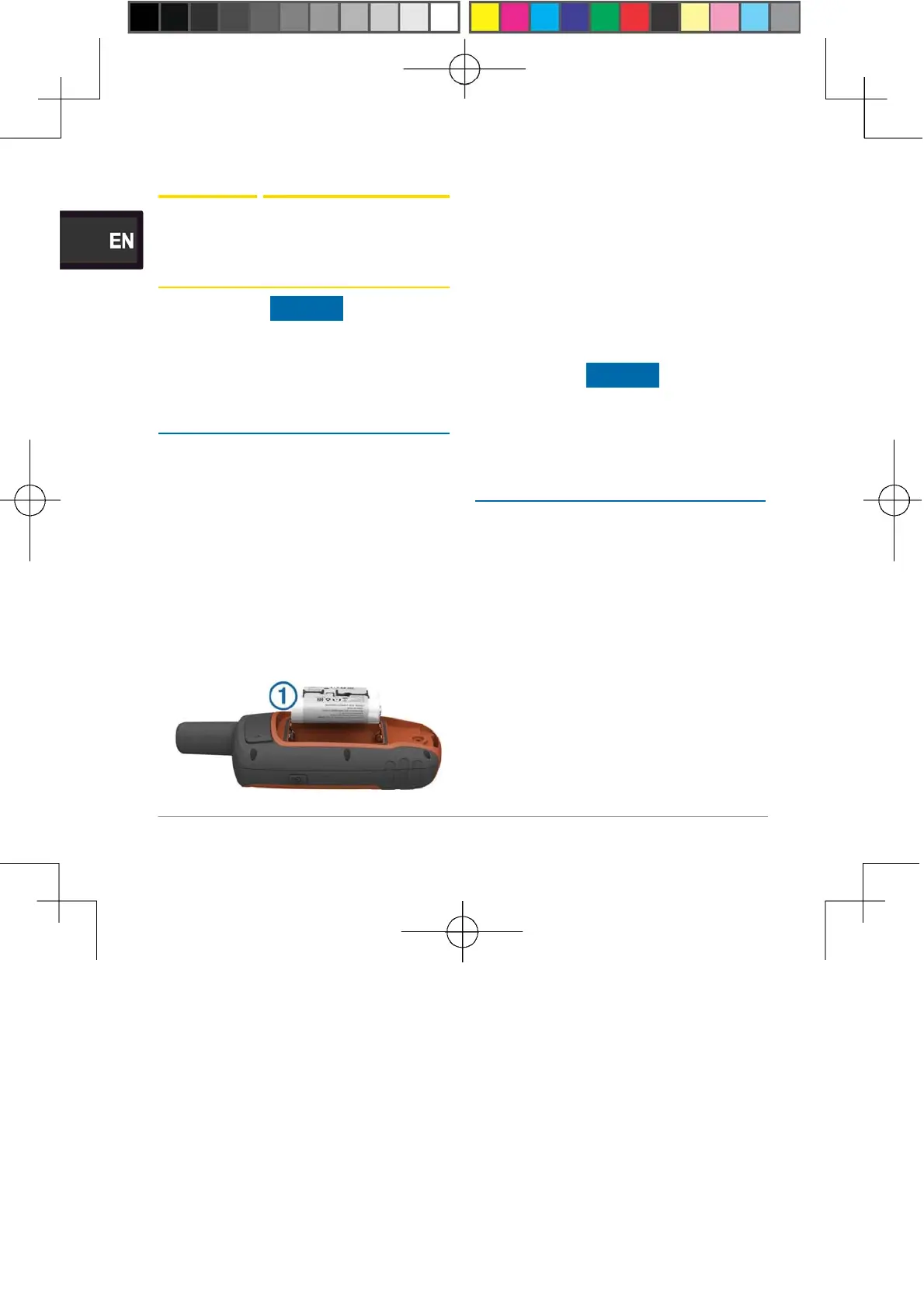
Installing
the NiMH
Battery
Pack
The device operates using
the
optiona
l
NiMH battery
pack
(purchased separately)
or
two
AA
batteries (Installing
Batteries).
1
Turn the D-ring
counter-
clockwise
,
and
pull
up to
remove
the cover.
2
Locate
the
battery
pack
<
D
.
3
Insert
the
battery
pack,
observing
polarity.
4
Gently press
the
battery
pack
into
place.
5
Replace
the
battery cover,
and
turn
the
D-ring
clockwise.
Charging the Battery
Pack
NOTICE
To prevent corrosion,
thoroughly
dry the
mini-USB
port,
the
weather
cap
,
and the surrounding
area
before charging
or
connecting
to
a
computer.
Do not
attempt
to
use
the device
to
charge
a
battery that
was not
provided by
Garmin®.
Attempting
to
charge
a
battery that
was not
provided by Garmin can
damage
the device and void
the
warranty.
Before you can connect the
straight
connector
of
the USB cable
to your
device, you may have
to remove
optiona
l
mount
accessories.
NOTE: The battery will
not
charge when outside
the
10

Table of Contents

Other manuals for Garmin GPSMAP 64s

Related product manuals