•
temperature range of 0° to 50° C
(32°
to
122°F
).
You can charge the battery using
a
standard wall outlet or a USB
port
on your computer.
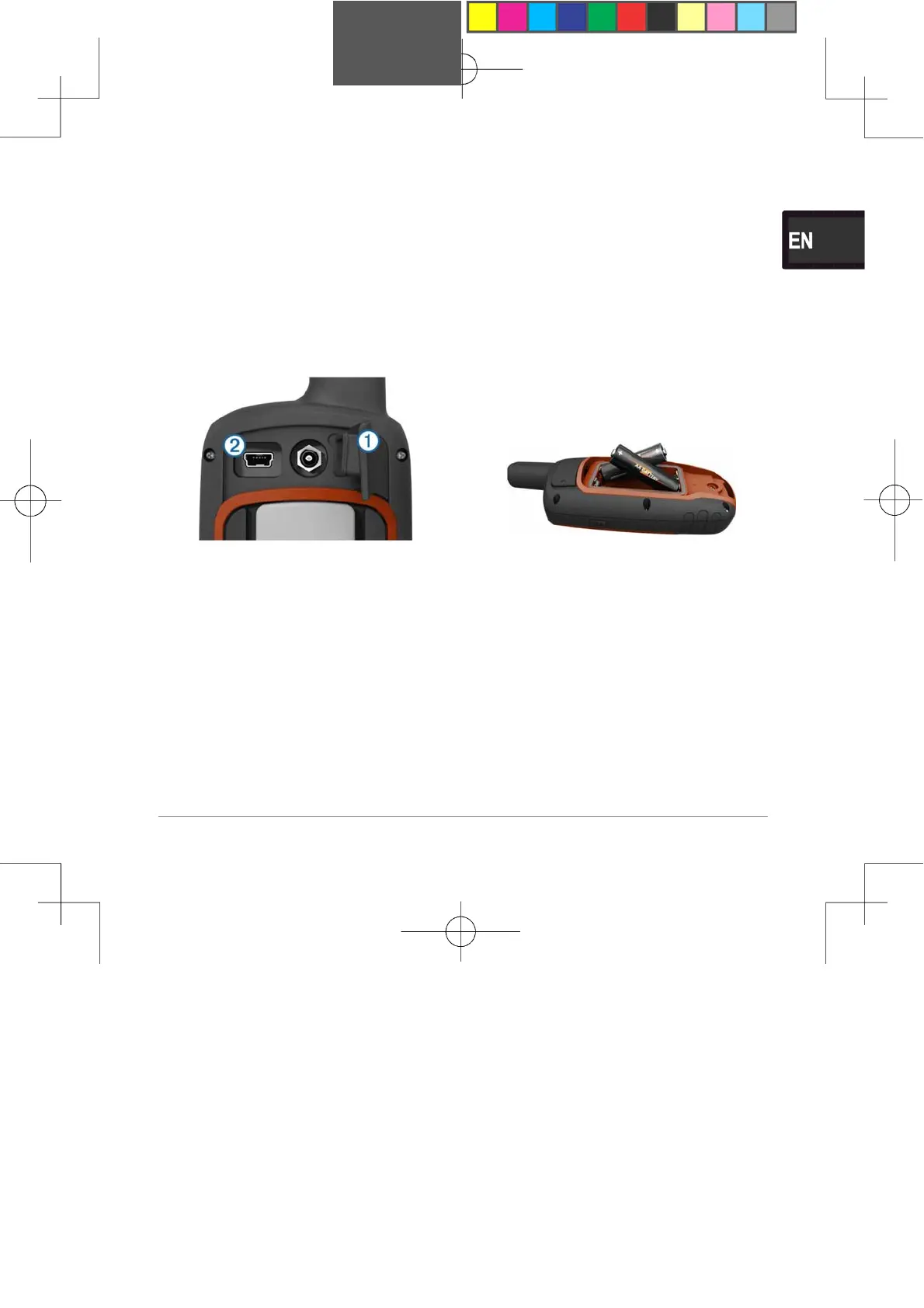
1 Pull up the weather cap
CD
from
the mini-USB port
@
.
2 Plug the small end of the
USB
cable into the mini-USB
port.
3 Plug the USB end of
the
cable into the AC adapter or
a
computer USB
port.
4 Plug the AC adapter into
a
standard wall
outlet.
When you connect the
device
to a power source, the
device
turns
on.
5 Charge the battery completely.
Installing
Batteries
The handheld device
operates
using two AA batteries
(
not
included). Use NiMH or
lithium
batteries for best
results.
1 Turn the D-ring
counter-
clockwise, and pull up
to
remove the cover.
2 Insert two AA
batteries,
observing polarity.
3
Replace the battery cover,
and
turn the D-ring
clockwise.
4 Hold
6
.
5 Select Setup > System >
AA
Battery Type.
6 Select
Alkaline,
Lithium,
Traditional
NiMH,
or
Precharged NiMH.
Turning On the
Device
Hold
6 .
11















 To Next Page