near the course, such as shoals
or
submerged
rocks.
To
enable the course pointer,
from
the compass, select
MENU
>
Setup Heading > Go To
Line/
Pointer > Course
(
COl
)
.
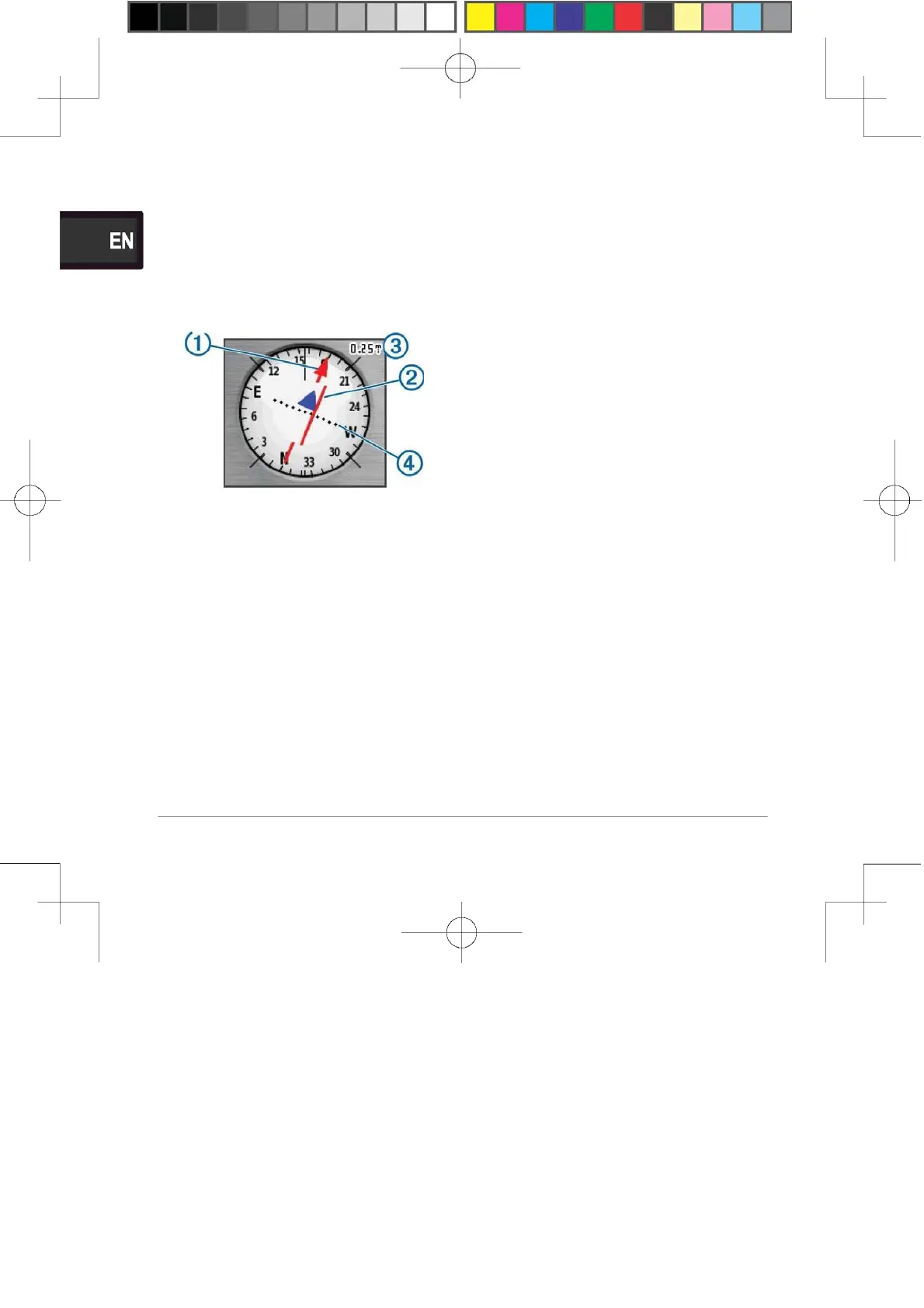
1
The course pointer
G)
indicates
your
relationship
to the
course
line leading to the
destination.
The course deviation
indicator
(CDI) ® provides the
indication
of drift
(right
or left) from
the
course. The scale
@
refers to
the
distance between dots @ on
the
course deviation indicator,
which
tell you how far off course
you
are.
Navigating with Sight 'N
Go
You can point the device at
an
object in the distance, lock in
the
direction, and navigate to
the
object.
1
Select Sight 'N
Go.
2 Point the device at an
object.
3 Select
Lock Direction >
Set
Course.
4 Navigate using the
compass.
Heading
Settings
You can customize the
compass
settings.
Select
Setup >
Heading.
Display: Sets the type of
directional
heading shown on the
compass.
North Reference: Sets the
north
reference used on the
compass.
Go To
Line/Pointer:
Sets
the
behavior of the pointer
that
appears on the map.
Bearing
points in the direction of
your
destination. Course shows
your
relationship to the course
line
leading to the
destination.
Compass: Automatically
switches
from an electronic
compass
20















 To Next Page