Getting More Information
You can find more information about this product on the Garmin website.
• Go to support.garmin.com for additional manuals, articles, and software updates.
• Go to buy.garmin.com, or contact your Garmin dealer for information about optional accessories and
replacement parts.
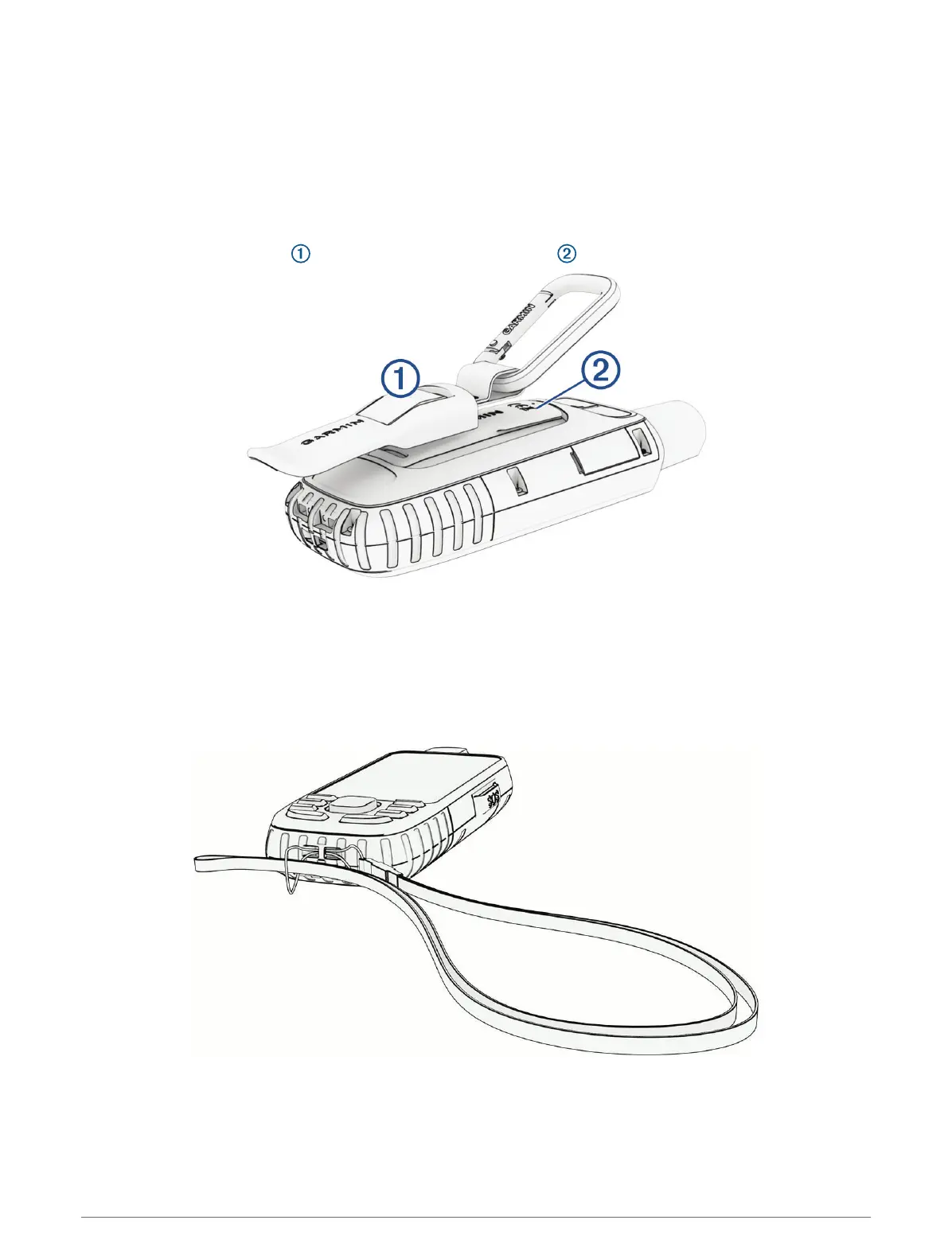
Attaching the Carabiner Clip
1 Position the carabiner clip in the slots on the mounting spine of the device.
2 Slide the carabiner clip up until it locks in place.
Removing the Carabiner Clip
Lift up on the bottom of the carabiner clip, and slide the carabiner clip off the mounting spine.
Attaching a Lanyard
1 Insert the loop of the lanyard through the slot in the device.
2 Thread the other end of the lanyard through the loop, and pull it tight.
3 If necessary, attach the lanyard to your clothing or backpack to tether it during an activity.
44 Device Information













 To Next Page