EasyManua.ls Logo

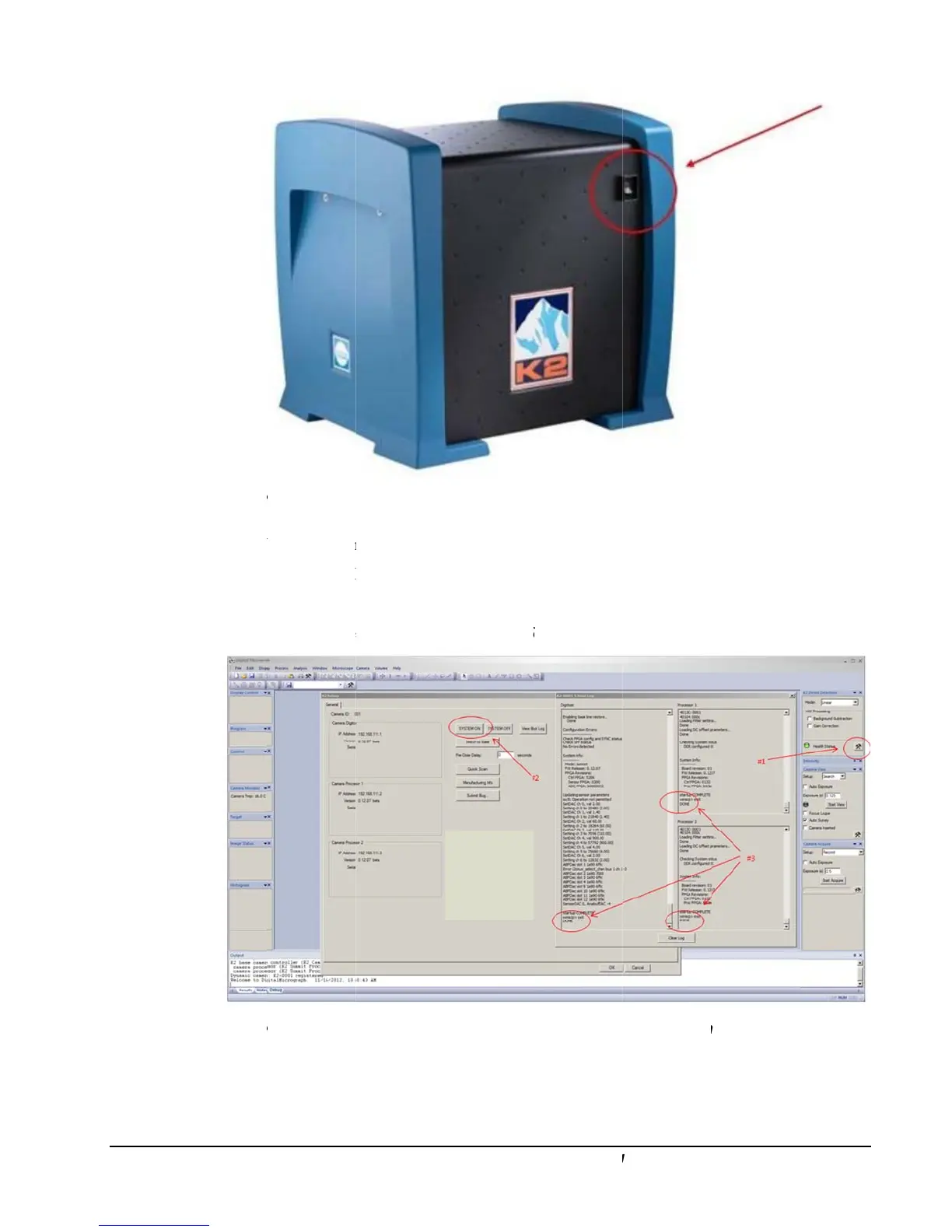
Gatan K2 Summit - Figure 1-6. K2 Digitizer; Figure 1-7. Digitalmicrograph Interface During Startup of K2 Summit System

Gatan K2 Summit
49 pages
Print Icon
To Next Page IconTo Next Page
To Previous Page IconTo Previous Page
Loading...
16
fi
g
ur
e
5.
W
6. L
a
7. C
l
8. C
l
fi
g
ur
e
K2 Summit
e
1-6. K2 d
i
W
ait at least 3
m
a
unch Digital
M
l
ick the settin
l
ick the Syst
e
e
1-7. Di
g
it
a
and K2 Base
ig
itizer
m
inutes after
M
icrograph
(
g button (ha
m
e
m ON (#2)
b
a
lMicro
g
rap
h
Direct
D
etect
i
powering o
n
(
DM).
m
mer/wrench
)
b
utton. Wait
fo
h
interface
d
i
on Camera
U
n
the K2 digit
i
) (#1) in the
K
f
or the syste
m
d
urin
g
startu
p
U
ser's Guid
e
i
zer.
K
2 Direct De
m
to finish tur
n
p
of K2 Su
m
tection palet
t
n
ing on (#3).
m
mit s
y
stem
t
e.

Table of Contents

Related product manuals