K2 Summit and K2 Base Direct Detection Camera User's Guide
42
the user to enter a value for TEM magnification every time an image is to be acquired. This
can be set by choosing the Global Microscope Info window under the Microscope menu.
Low Magnification
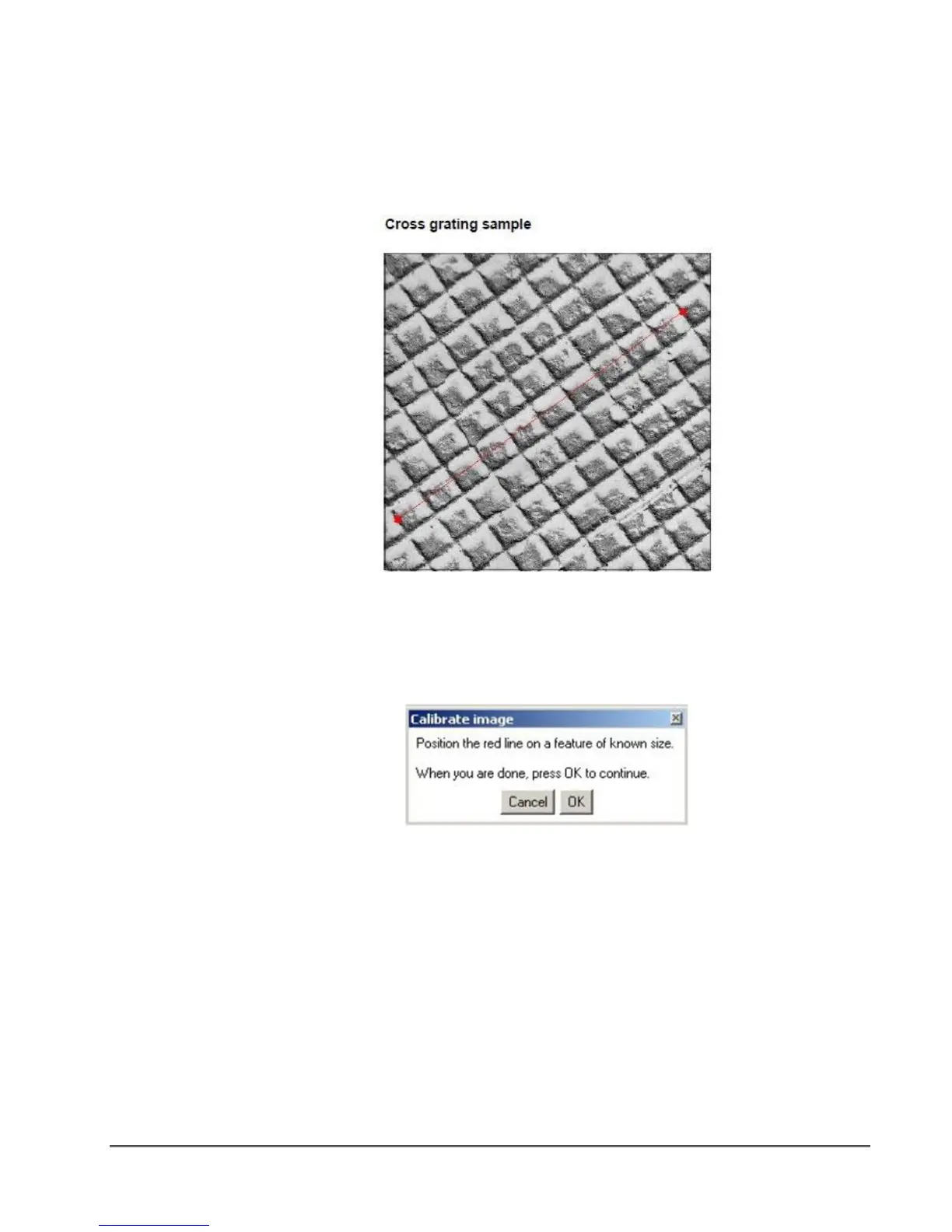
Record an image of a cross grating replica.
figure 1-44. Example of marking a known distance during magnification calibration
1. Choose Microscope > Calibrate image.
2. Follow the instructions on screen.
figure 1-45. Magnification calibration instructions
A red line appears on the image.
3. Position it on a feature of known size.
4. Press OK on the Calibrate image window.
5. Enter the correct distance for the selected feature (for example 10 linepairs of cross
grating sample where the distance = 10 x 0.463µm) in the Calibration window and select
the units. Select the distance marked in the previous figure to perform the magnification
calibration.


 To Next Page