K2 Summit and K2 Base Direct Detection Camera User's Guide
19
To perform the Annealing cycle:
1.
In the Camera menu select Temperature.
2. Select a set point of +50˚C, and click OK.
3. Use the Options button to select a duration other than 24 hours. Usually an annealing
cycle of overnight is sufficient.
4. Click the Start button to begin the cycle. The camera cools down to whatever the set
point was before cooling. If that was -20˚C, then after the annealing cycle is complete, it
cools back down to -20˚C.
K2 Summit Imaging Modes
The K2 hardware can boot up in two modes, Base and Summit. K2 Base operates in charge
integration mode.
When the Summit camera version is selected, the three modes available from the K2 Direct
Detection palette are Linear, Counted, and Super-Resolution.
Linear mode is the way that the K2 Summit camera operates in charge integration mode,
while Counted and Super-Resolution are highly processed modes where individual electrons
are detected.
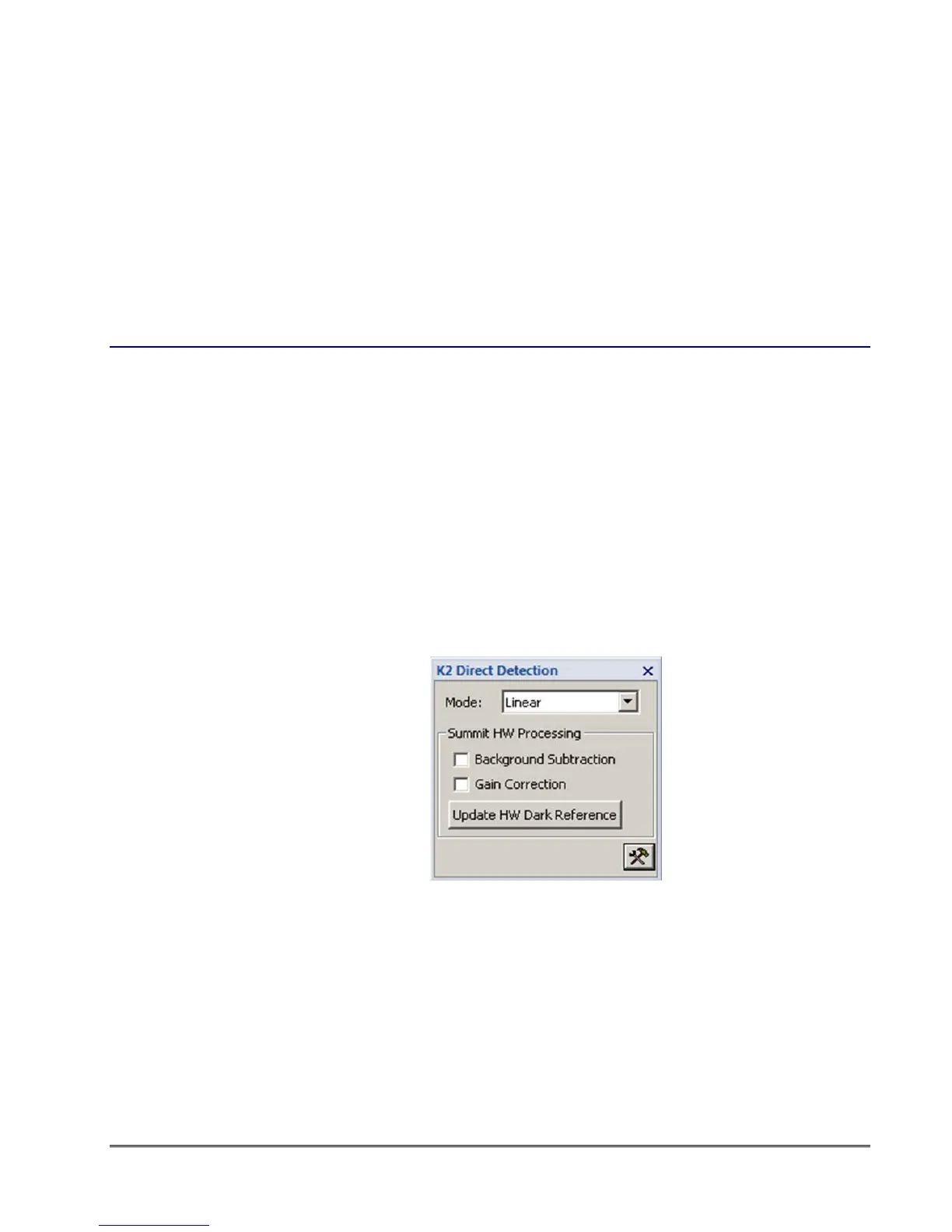
In the view and acquire menus (in DM) you can select three Summit imaging modes:
Linear: In this mode, enable software dark subtraction and gain normalization (selected
in the Camera Acquire and Camera View palettes) and be sure the hardware corrections
in the K2 Direct Detection palette (Background Subtraction, Gain Correction) are
unchecked.
figure 1-11. K2 Direct Detection palette: Linear mode


 To Next Page