K2 Summit and K2 Base Direct Detection Camera User's Guide
43
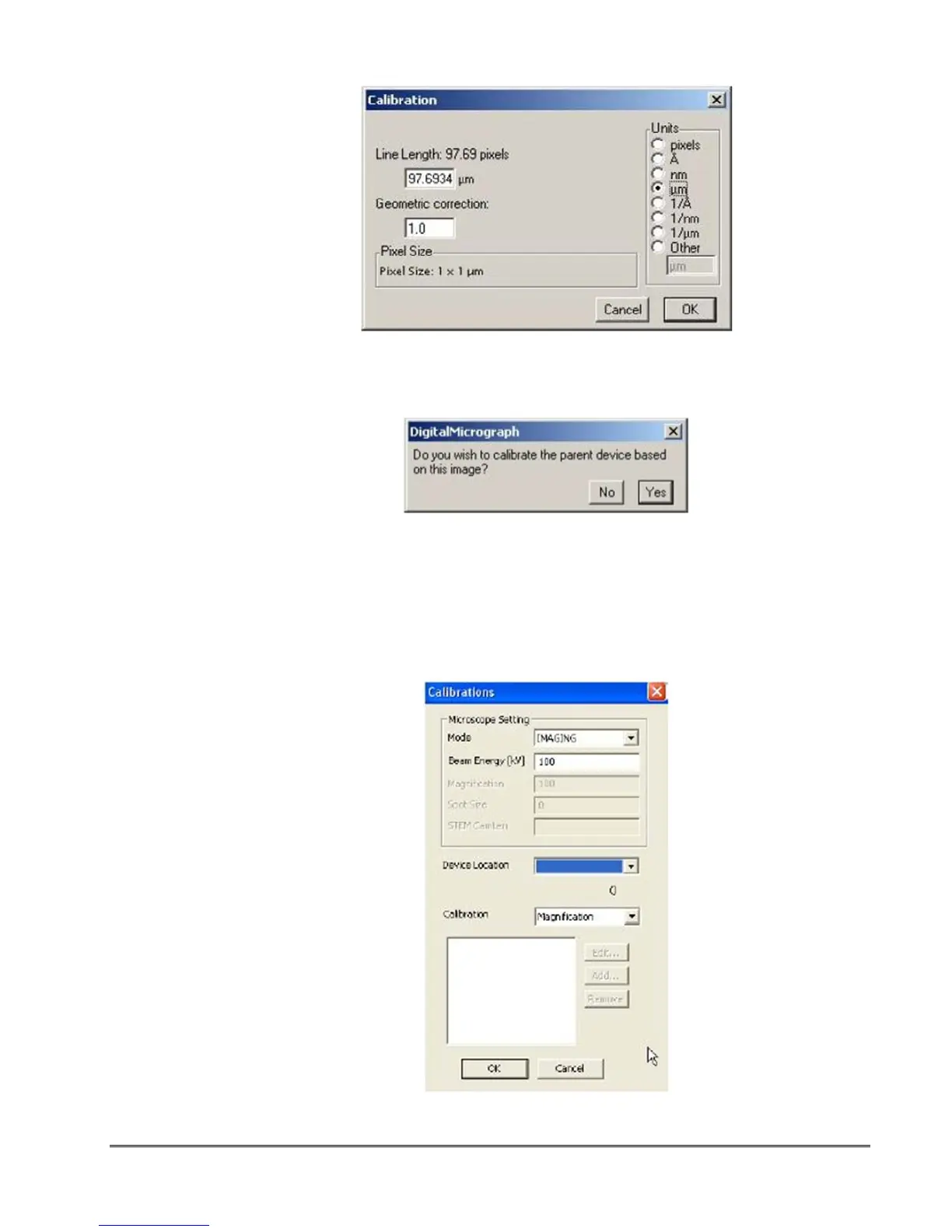
figure 1-46. Calibration settings
6. Press OK.
figure 1-47. Calibration confirmation
7. Click Yes to complete the calibration.
The calibration can be checked on the calibration table containing pairs of value, the
nominal microscope magnification and the calibrated value.
8. To view the magnification table, select Microscope > Calibrations.
figure 1-48. Microscope Calibration dialog


 To Next Page