2-8 General Procedures
9 If the holes are centered, go on to Setting the Side Guide. If the holes
are not centered, go on to Step 10 to adjust the Punch.
10
Open the Right Punch Door.
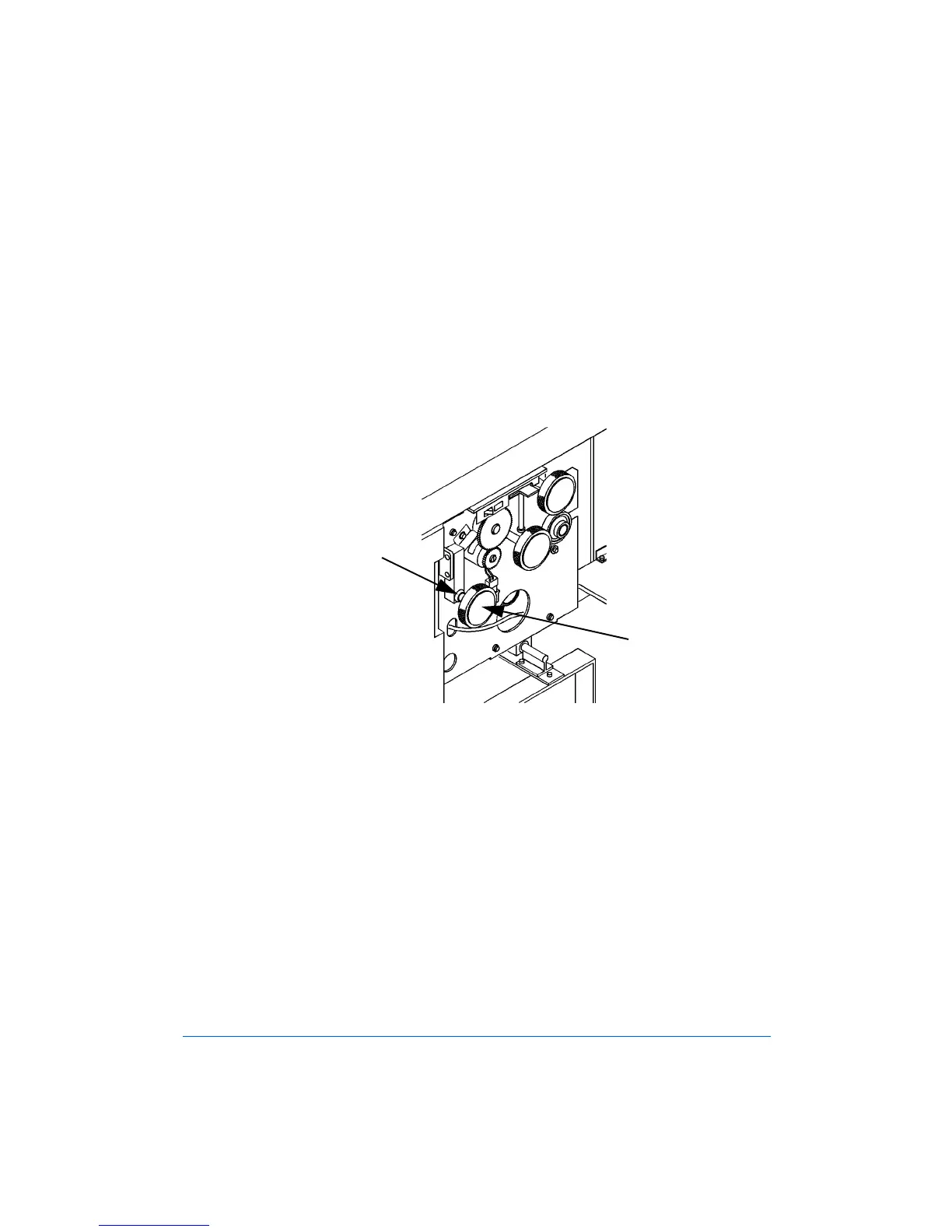
11 Loosen the Locking Wing Nut, as shown in Figure 2-6.
12 Use the Edge Guide Adjustment Knob to make small (1/8 to 1/4-turn)
adjustments, as shown in Figure 2-6. Test after each adjustment until
the punched hole sets are centered.
Figure 2-6: Edge Guide Adjustment
13 Tighten the Locking Wing Nut after you have completed the
adjustments.
Locking Wing Nut
Edge Guide
Adjustment Knob



 To Next Page