3.2.3
Restore factory default settings
VLCD allows you to turn all parameters to factory-default settings.
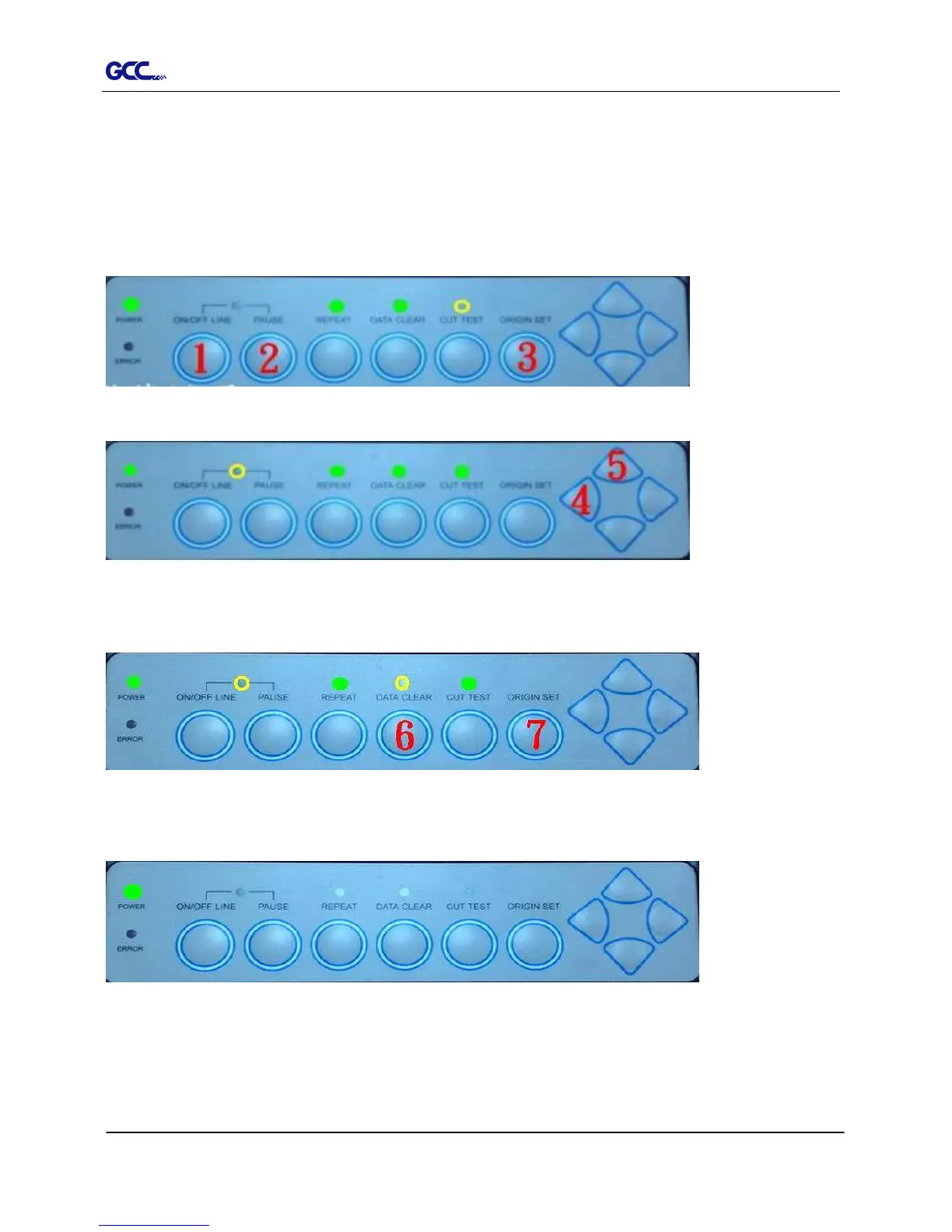
Step 1 Enter the USB-port switching mode by pressing “Pause”(2) after “On/Off line”(1) and
then press “Origin Set” (3).
Step 2 Press the left key (4) and then up (5)
Step 3 You have now entered the Data clear and restoring default settings mode; press “Data
clear” (6) and then “Origin Set” (7) to confirm.
Step 4 The default settings restoring process has been completed. All buttons will be ineffective
before the cutter is rebooted.
Step 5 Restart your cutting plotter now.














 To Next Page