111 232001840G(08)
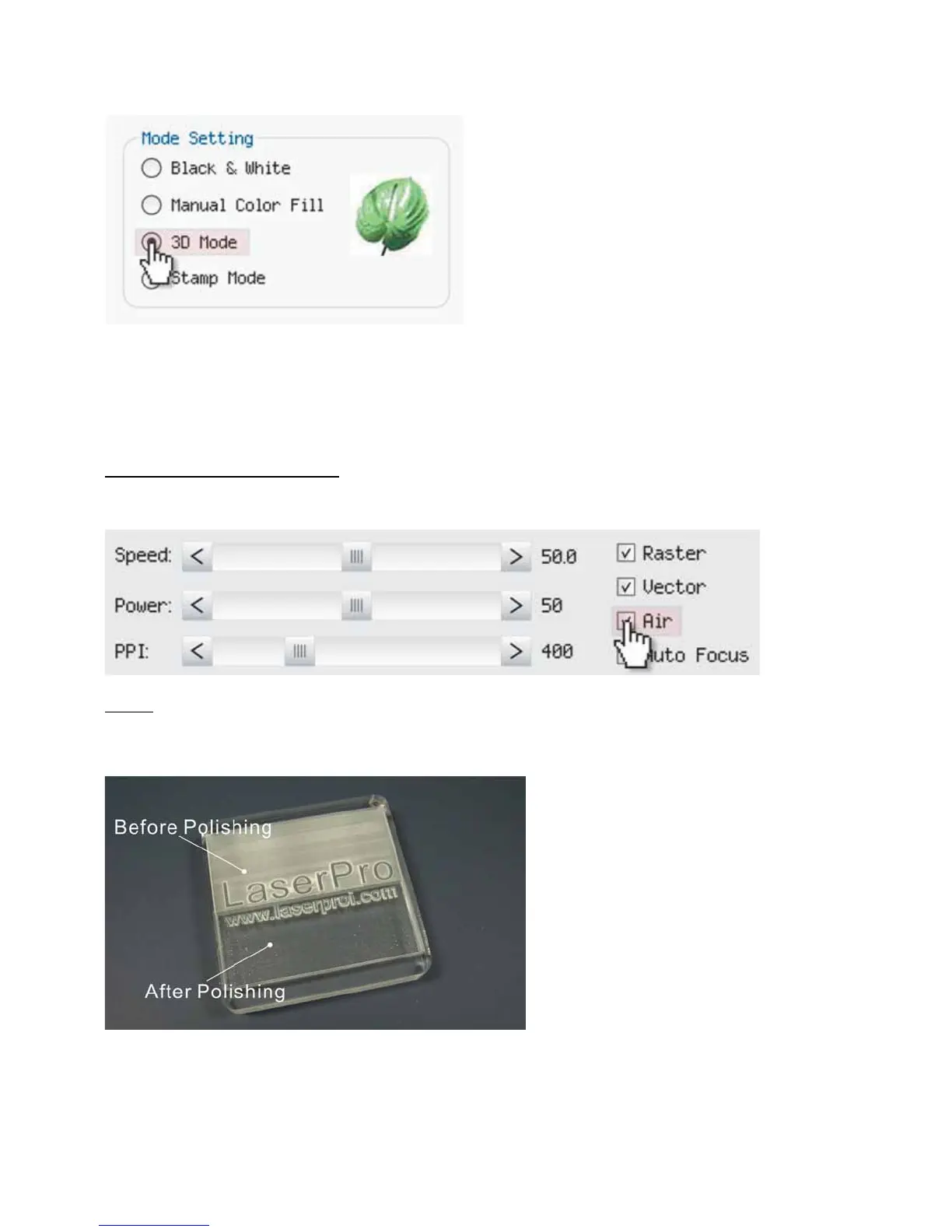
Tips for engraving 3D graphics
LaserPro Application Lab provides a few reminders that may require your attention during the 3D engraving in
order to improve the result of the engraving.
Turn on the Air Assist function
When the engraving is done along with Air Assist, the depth of the engraving would be deeper. Set Air assist
inside the driver by checking the box.
Polish
Dust will accumulate during the engraving when acrylic is engraved. The acrylic may be polished with Polish after
the engraving. After the processing, don’t remove the engraved object. Use the Control Panel to lower the
platform (for about 7~8 mm) and then engrave once again to achieve the better finish.





 To Next Page