97 232001840G(08)
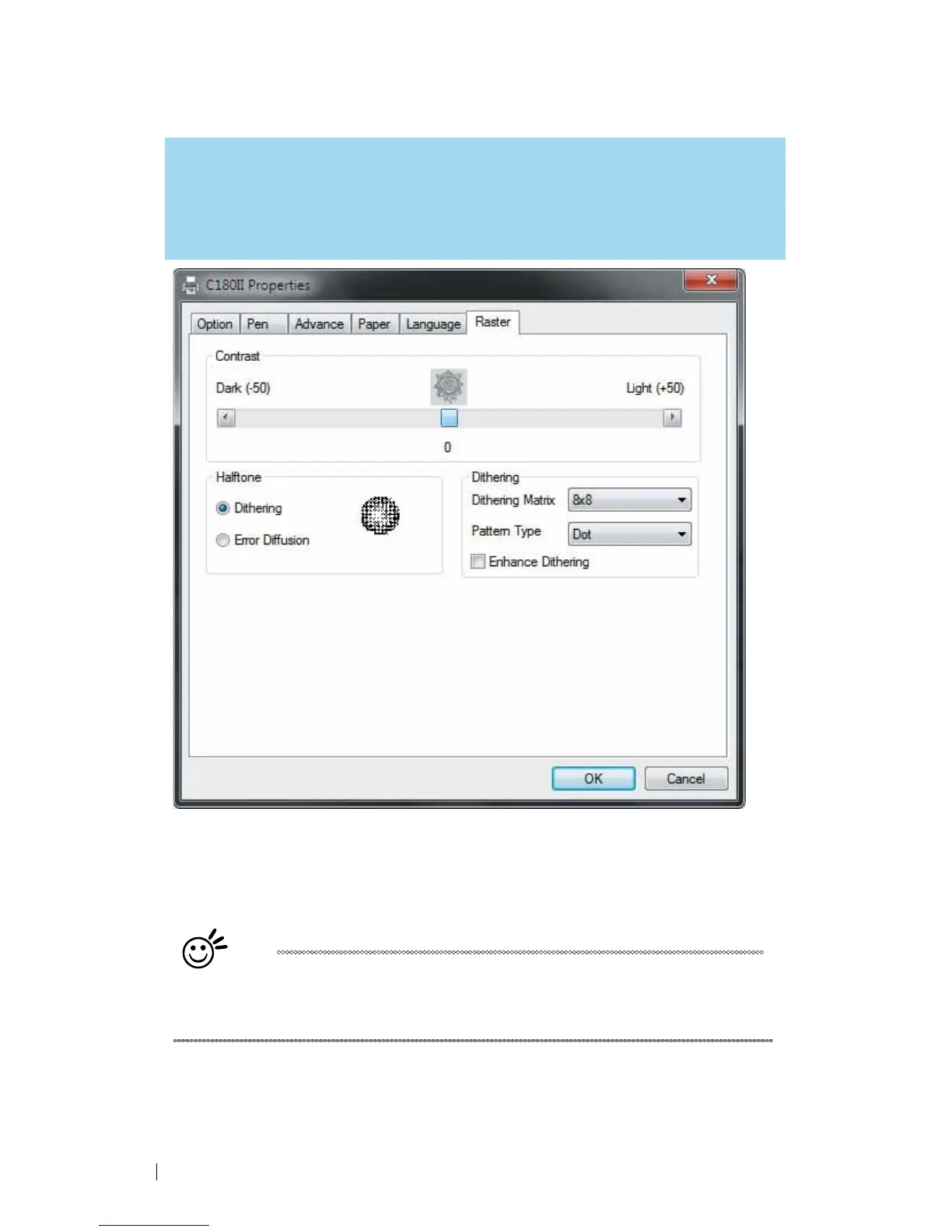
5.2.3.6 C180II Print Driver >> Raster Page
NOTE
The Raster Page is only available when Black & White Mode Setting is selected from the
Option Page, this page offers a number of advanced Raster Engraving output options.
Contrast
(Raster
Page)
[DEF
AUL
T
SETTING:
0]
A quick and easy way to immediately adjust the contrast of an engraved image. Moving the slider
to the Dark setting will increase the contrast levels of the engraved output, whereas moving the
slider to the Light setting will decrease the contrast levels of the engraved output.
Tip
There are other ways to adjust an engraved image’s contrast such as:
adjust the power / speed settings or simply adjusting the contrast of the
image in software with the graphic software application.





 To Next Page